BPMN examples · Updated September 16, 2026
BPMN diagram examples (BPMN 2.0)
In short: a BPMN diagram example shows a business process in BPMN 2.0 notation — circles for start and end events, rounded rectangles for tasks, diamonds for gateways, and swimlanes for who does what. Below: a simple order-fulfillment example annotated element by element, an expense-approval example with swimlanes, and eight more real BPMN diagram examples by industry, each with the plain-English prompt that generated it.
What does a simple BPMN diagram example look like?
This BPMN diagram example models order fulfillment. Reading left to right: a thin circle is the start event (an order arrives), “Verify stock” is a task, the diamond is an exclusive gateway whose two outgoing paths are labelled with their conditions (yes → ship, no → reorder), “Issue invoice” is the closing task, and the thick circle is the end event. That is the whole core vocabulary of BPMN 2.0 in one diagram — and the entire example was generated from the sentence on the left.
The prompt
A customer submits an order. Sales verifies stock. If in stock, the warehouse ships it; otherwise procurement reorders. Finance then issues the invoice.
ChartCraft draws
What does a BPMN diagram example with swimlanes look like?
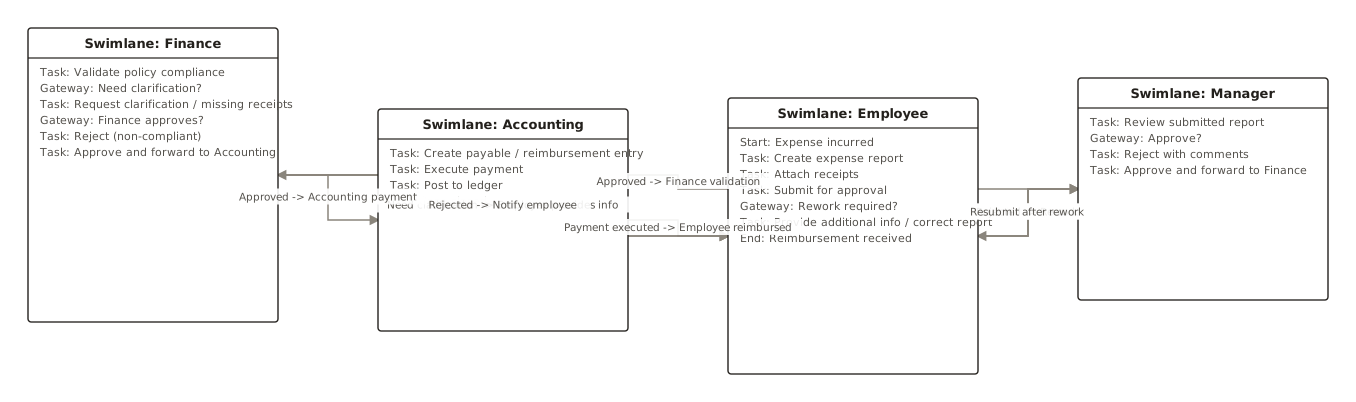
Most real processes involve more than one role, and that is what swimlanes (lanes inside a pool) are for: each horizontal band belongs to one role, and a task’s lane says who performs it. This BPMN diagram example models expense approval across two lanes — the handoff between Employee and Finance is exactly the part a laneless flowchart would hide.
Expense approval — two lanes
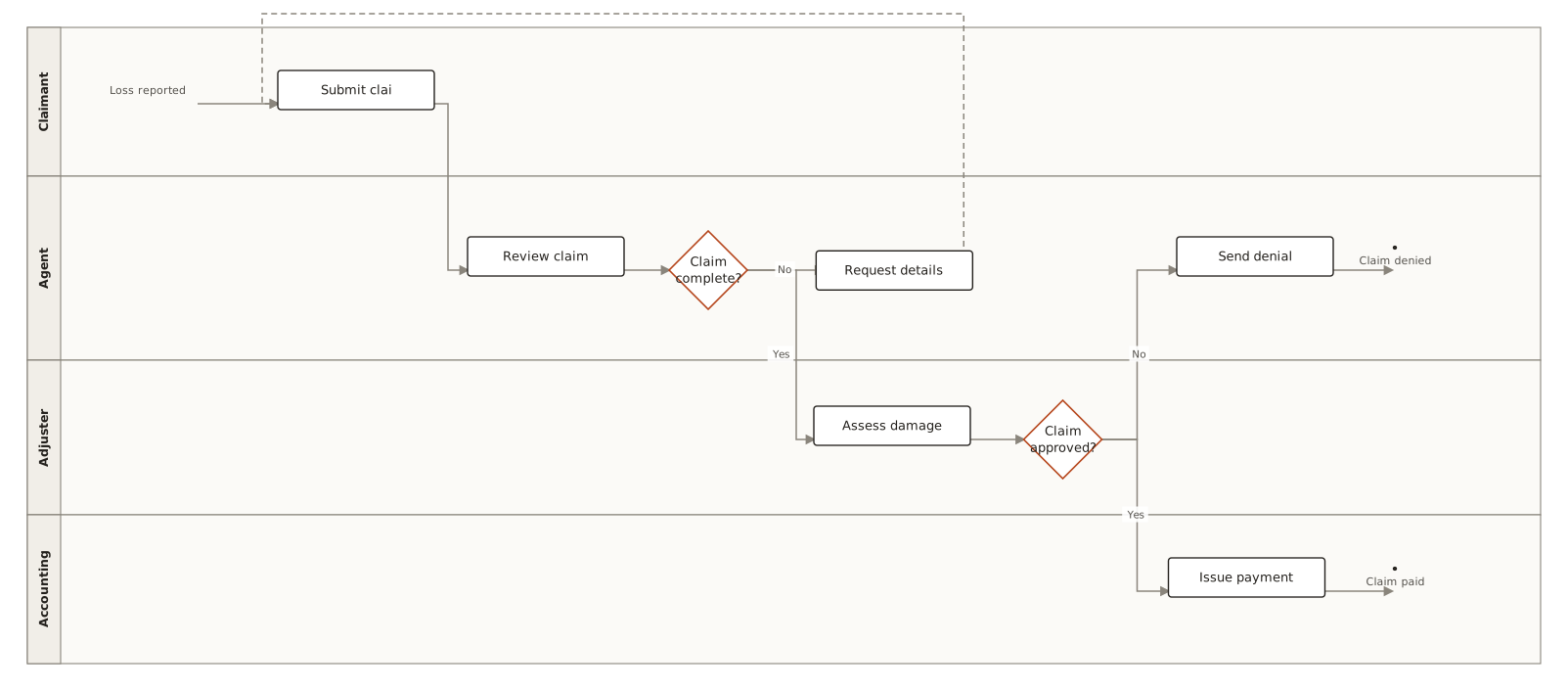
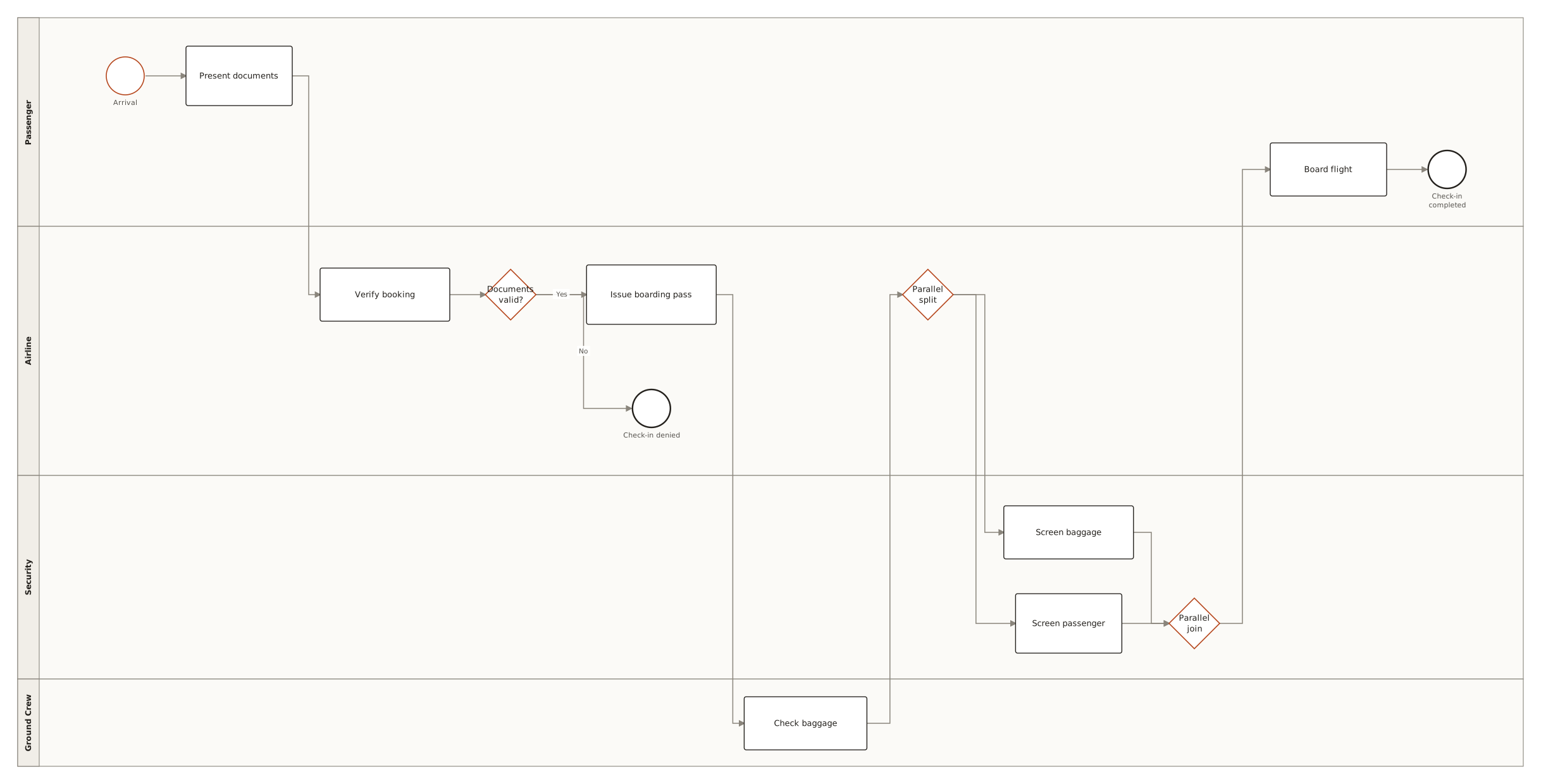
The gateway’s “no” path crosses back into the Employee lane — a handoff. Every crossing of a lane boundary in a BPMN diagram example like this one is a place where the process can stall, which is why lanes are usually the reason to draw the diagram at all. For a fuller lane-based BPMN diagram example, see the insurance claim process or airport check-in.
More BPMN diagram examples, by industry
Generated with ChartCraft and published in the examples gallery — open one to see its prompt, or use it as a starting point.
| Process | BPMN diagram example | What it demonstrates |
|---|---|---|
| Finance — expense reimbursement | Expense reimbursement | Approval loop, exclusive gateway, rejection path |
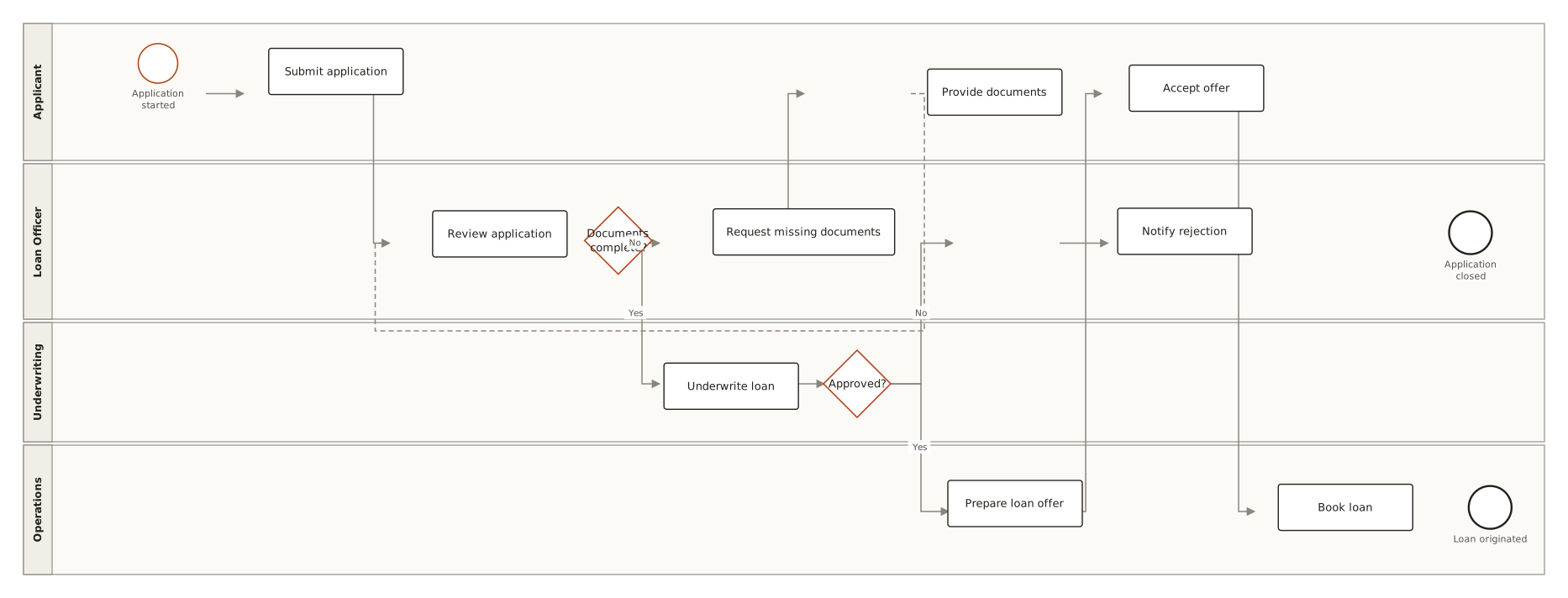
| Banking — loan origination | Loan origination | Sequential review tasks, decision gateway, end events per outcome |
| Insurance — claim handling | Insurance claim | Swimlanes across claimant, adjuster and payments |
| Travel — airport check-in | Airport check-in | Passenger/agent lanes, parallel service steps |
| Healthcare — patient intake | Hospital patient intake | Triage gateway, escalation path |
| Accounts payable — invoicing | Vendor invoice processing | Three-way match, exception handling |
| Notation — subprocess | BPMN subprocess example | Collapsed subprocess marker, nesting a child process |
| Notation — parallel gateway | BPMN parallel gateway example | Split and matching join, concurrent branches |
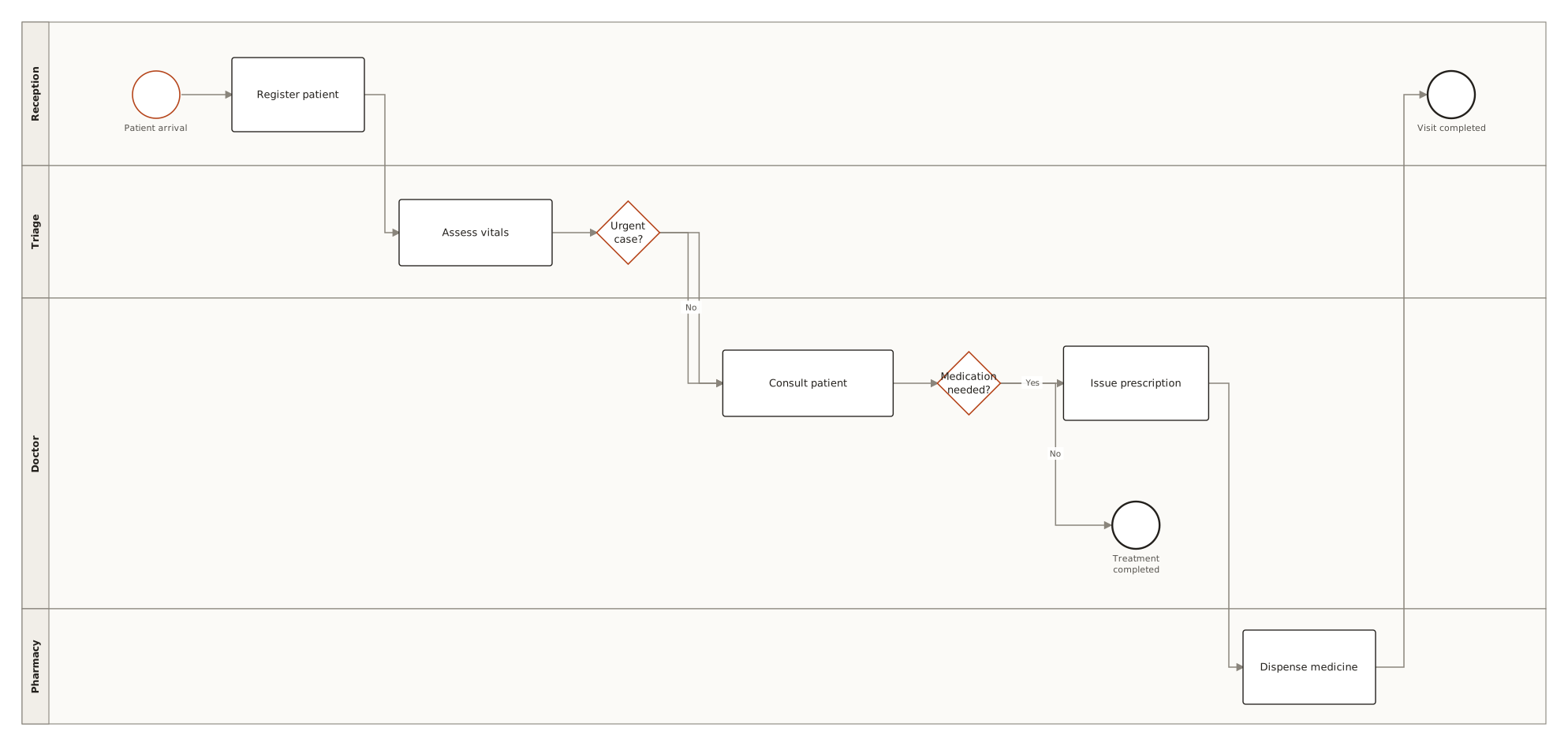
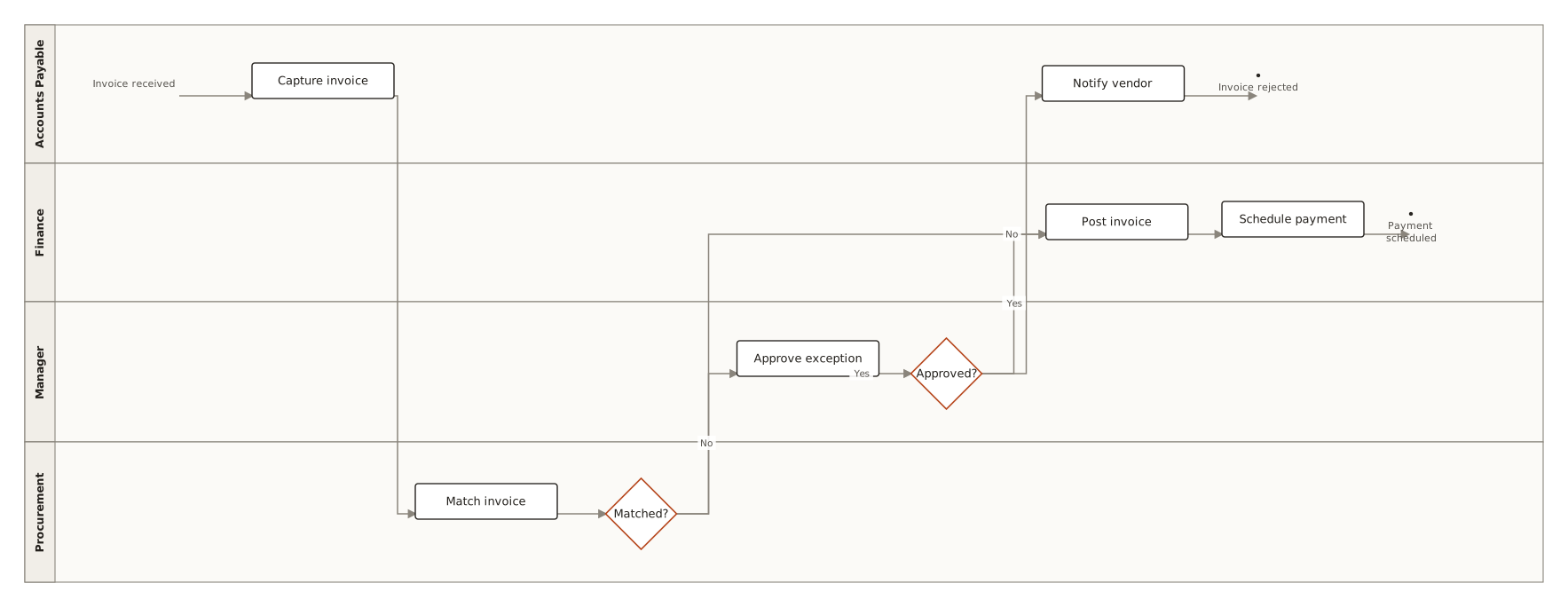
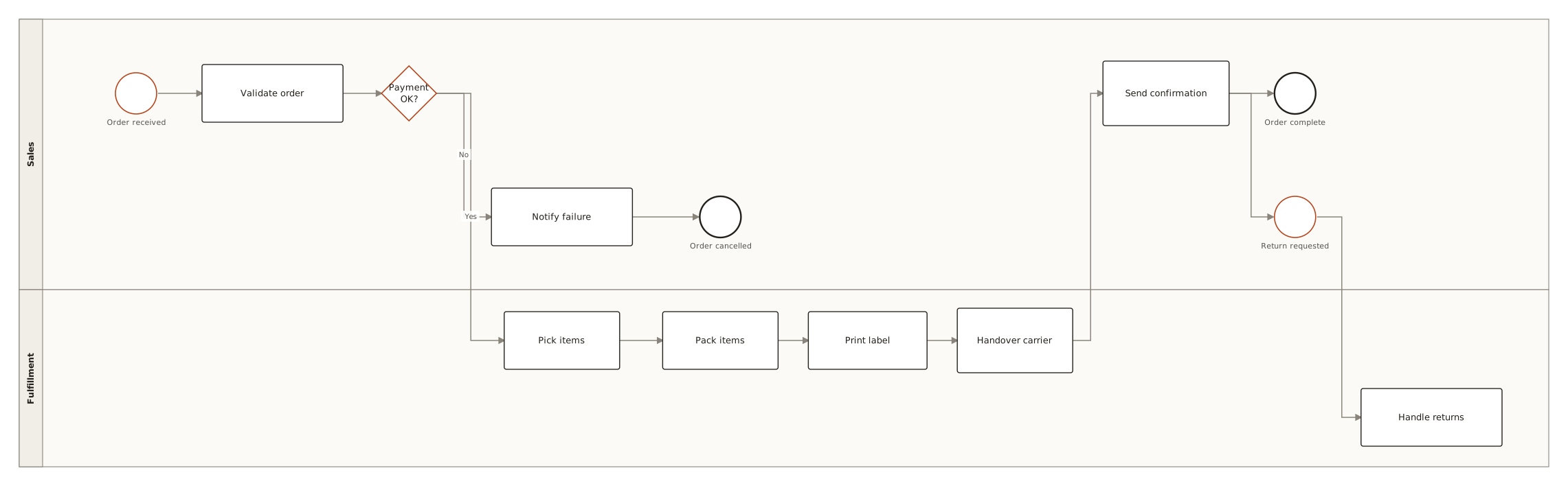
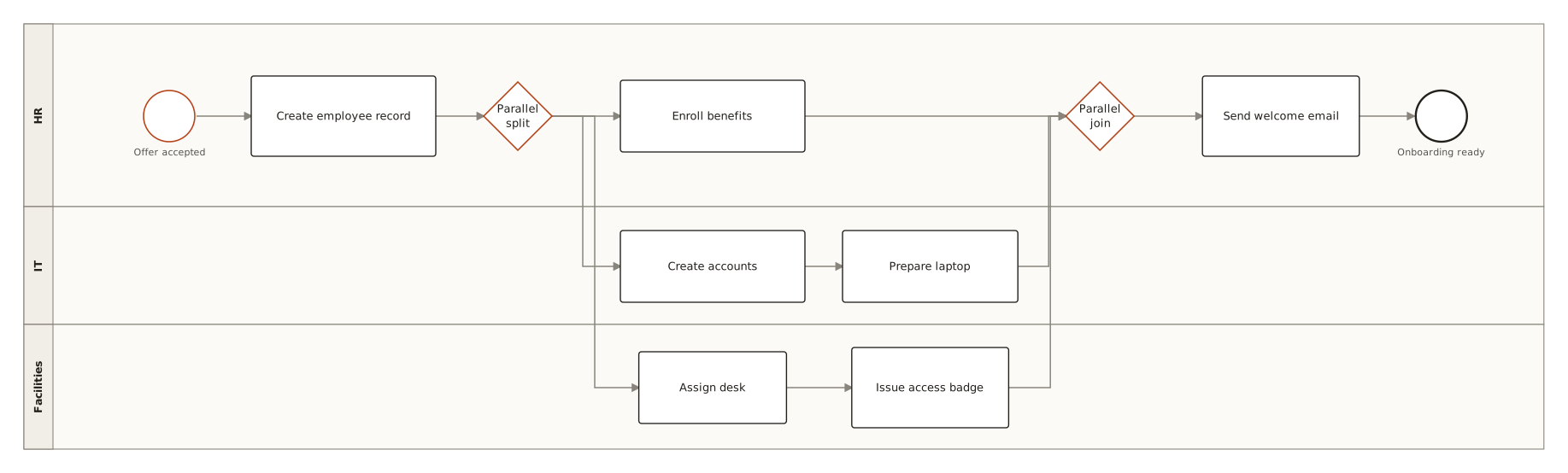
What do the symbols in a BPMN diagram example mean?
BPMN 2.0 has a large vocabulary, but five element families carry everyday process modelling.
| Element | What it means |
|---|---|
| Start / end events (circles) | Thin circle starts the process, thick circle ends it. One trigger in, one circle per distinct outcome. |
| Task (rounded rectangle) | A unit of work. User tasks (a person acts), service tasks (a system acts), script tasks (code runs). |
| Exclusive gateway (X diamond) | Either/or routing — exactly one outgoing path fires, each labelled with its condition. |
| Parallel gateway (+ diamond) | Both/and — all outgoing paths run; a matching gateway joins them back. |
| Lane | A horizontal band per role or department — the task's lane says who does it. |
| Message flow (dashed) | Communication crossing organizational boundaries, between separate pools. |
What makes a good BPMN diagram?
Do
- Label every path out of an exclusive gateway with its condition — an unlabelled gateway is a coin flip.
- One lane per role that actually does something; systems that merely store data don't earn a lane.
- Name tasks verb-first and keep them atomic — “Review application”, not “Handle stuff”.
- Separate the happy path from exception handling; boundary events or a second diagram beat a spaghetti main flow.
- Every parallel split needs a matching join — unbalanced gateways are the classic BPMN bug.
Avoid
- Gateways used as decisions AND merges inconsistently, leaving token flow ambiguous.
- A lane for every system in the architecture, most of which never act.
- Processes with one giant “Process request” task — no visibility into the actual work.
- Missing end events for rejection/withdrawal paths, implying every case succeeds.
Questions
What is an example of a BPMN diagram?
A typical BPMN diagram example is an order-fulfillment process: a start event (customer places an order), a task (verify stock), an exclusive gateway (in stock?) splitting into two labelled paths (ship the order / reorder from procurement), a final task (issue the invoice) and an end event. Add swimlanes — one per role, such as Employee and Finance in an expense-approval process — and the same notation also shows who does each step.
How were these BPMN diagram examples made?
Each example was generated by ChartCraft from a plain-English prompt, then laid out automatically — the same way you'd make your own. Click any example to see its full page.
Can I use these BPMN diagram examples as templates?
Yes — open an example, copy its prompt into the studio, then edit it in plain English to fit your case.
What's the difference between BPMN and a flowchart?
BPMN is a standardized process language: lanes assign work to roles, event types distinguish triggers, and gateway semantics are precise enough to execute in a workflow engine. A flowchart is freer-form and better for quick explanations.
When do I need lanes?
As soon as more than one role touches the process. Lanes make handoffs visible — and handoffs are where processes stall, so they're usually the point of drawing the diagram.
Is it free?
Your first 3 diagrams are free with no account, then 5 a month on a free account.