C4 Model
C4 diagram generator — context and container diagrams from text
Describe your system, who uses it, and what it's made of, and ChartCraft draws C4 model diagrams: the level-1 context view for everyone, the level-2 container view for engineers.
Prose in. Diagram out.
You type
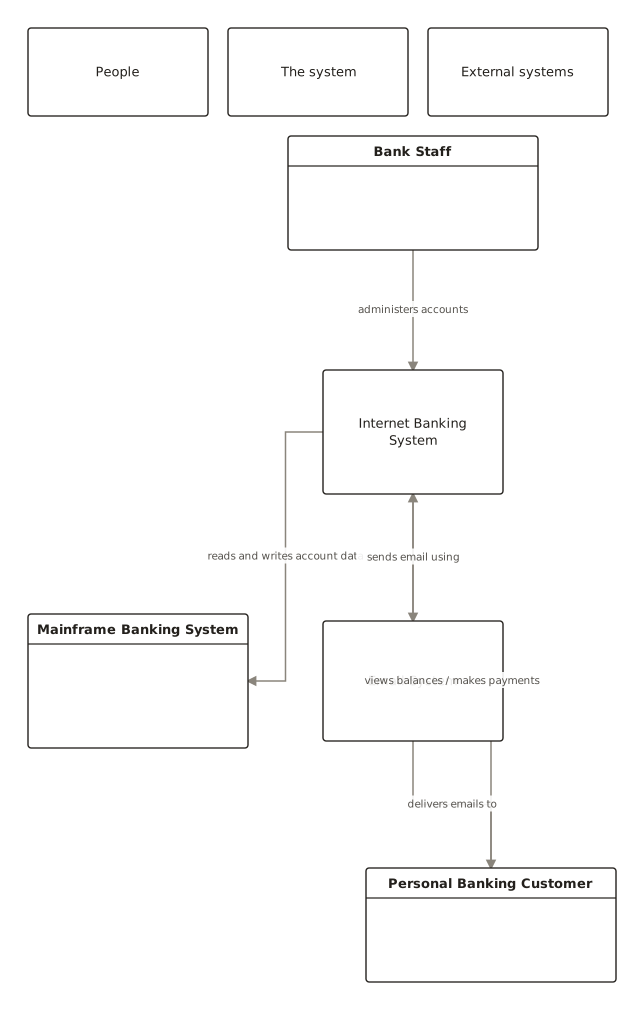
C4 context: a customer uses the internet banking system to view balances. It reads account data from the mainframe and sends notifications through the email system.
ChartCraft draws
How it works
Describe it
Write what you want in plain English — no syntax to learn.
ChartCraft compiles
It parses your description, builds the structure, and runs an automatic layout.
Refine & export
Tweak with follow-up messages, then export clean SVG or PNG.
The four C4 levels
C4 is a zoom metaphor for architecture: four levels, each for a different audience, each with strict scope. Most teams only ever need the first two.
| Level | Shows | Audience |
|---|---|---|
| 1 — System context | Your system as one box, the people who use it, and the external systems it touches. | Everyone, including non-technical. |
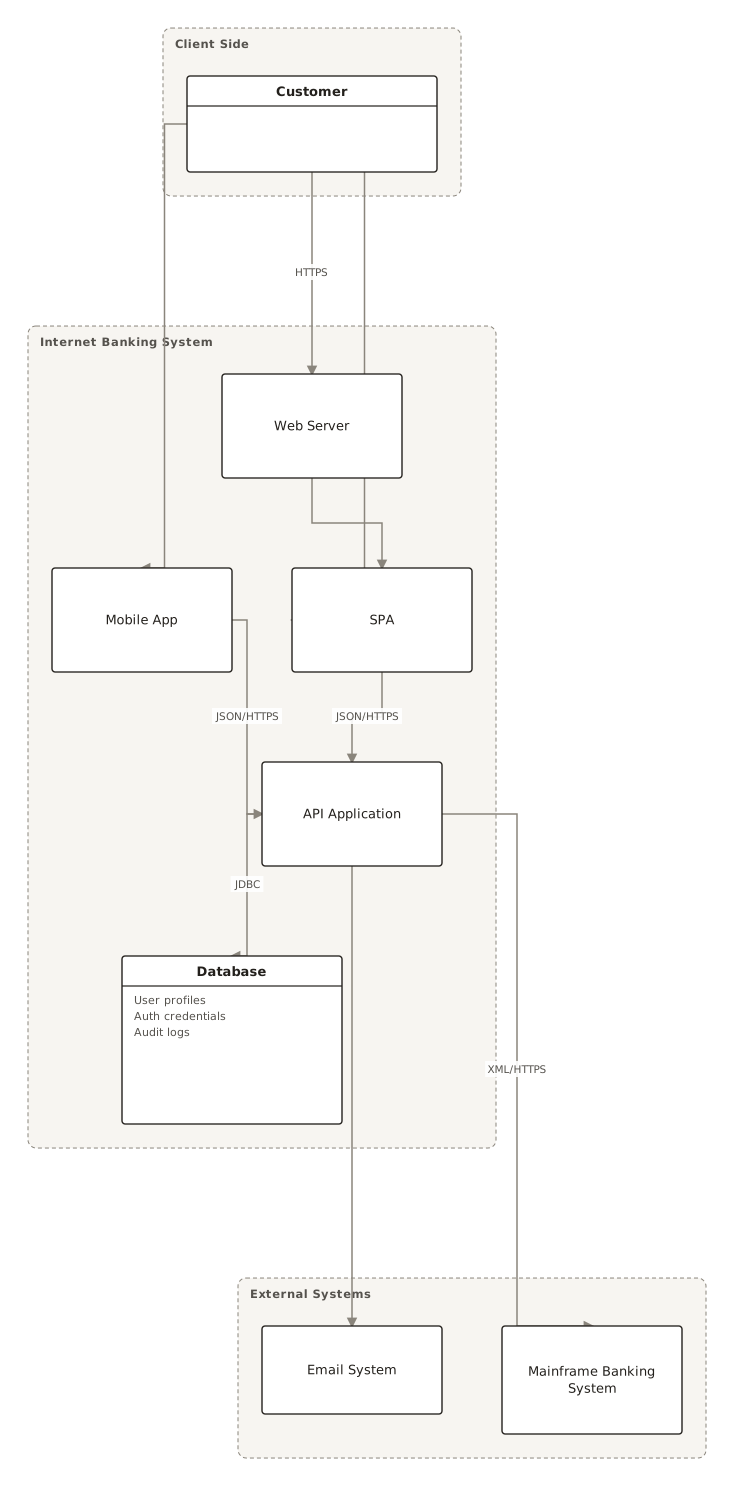
| 2 — Container | The deployable pieces inside: web app, SPA, API, database, message bus — and how they communicate. | Engineers and ops. |
| 3 — Component | The major building blocks inside one container and their responsibilities. | Developers of that container. |
| 4 — Code | Classes inside one component — usually a UML class diagram, generated from code when needed. | Rarely drawn by hand. |
Rules that keep C4 diagrams honest: every element gets a name, a technology, and a one-line responsibility; every arrow gets a label saying what flows and how; and a diagram never mixes levels.
C4 diagram examples
From the public examples gallery — every one produced from a plain-English description. Open one to see its prompt.
Questions
What is a C4 diagram?
A software architecture diagram following the C4 model: four zoom levels — context, container, component, code — with strict scope at each level, so every diagram has one audience and one altitude. Created by Simon Brown.
What's the difference between C4 and UML?
UML is a notation; C4 is a method that tells you what to put on each diagram. C4 deliberately uses simple boxes and labelled arrows instead of UML's symbol vocabulary — at level 4 (code) it hands back to a UML class diagram.
Do I need all four C4 levels?
Almost never. The context diagram plus one container diagram covers most documentation needs; draw component diagrams only for containers with real internal complexity, and generate code diagrams from source if you ever need them.
How do I make a C4 context diagram from text?
Name the system, its user roles, and the external systems, with a verb phrase for each relationship — “the customer views balances; the system reads account data from the mainframe”. ChartCraft draws the boxes, groups people / system / external systems, and labels every arrow.
Can I export the diagram?
Yes, export to SVG or PNG with no watermark on any plan.