Sequence diagram generator
Sequence diagram generator: describe the interaction, get the UML diagram
In short
A sequence diagram generator turns a plain description of an interaction — who sends what to whom, in what order — into a UML sequence diagram: one lifeline per participant, one arrow per message, time running top to bottom. Type the steps below and ChartCraft draws it; your first 3 diagrams are free, no account needed. Prefer writing code? Every symbol on this page comes with its Mermaid syntax.
Updated · by the ChartCraft team
What is a sequence diagram generator?
It is a tool that builds a UML sequence diagram for you from a description, instead of you placing lifelines and arrows by hand. ChartCraft reads your sentences, identifies the participants (people, apps, services, databases) and the messages between them, and lays them out in time order — so the diagram always matches the story you wrote. You then refine it with follow-up messages ("add a cache between the API and the database") and export SVG or PNG.
There are three ways to get a sequence diagram today, and they suit different people:
| Approach | You write | Best for |
|---|---|---|
| Prose → diagram | Plain sentences (ChartCraft) | Explaining a flow quickly, docs, design reviews, people who don't want to learn a syntax. |
| Diagram as code | Mermaid or PlantUML text | Diagrams versioned next to code in Git, READMEs, wikis that render Mermaid. |
| Drag and drop | Nothing — you draw shapes | Pixel-level control over one diagram you will rarely change. |
How do I generate a sequence diagram from text?
Write the interaction as numbered or consecutive sentences, each naming a sender, a receiver and what is sent; ChartCraft turns every named party into a lifeline and every sentence into a message, in order.
- Name the participants once, consistently. "Web app", "Auth service", "User DB" — the same name every time, so each becomes one lifeline.
- One message per sentence, in time order. "The web app sends POST /login to the auth service." Put the payload or endpoint in the sentence; it becomes the arrow label.
- Say when something is a reply or fire-and-forget. "…returns the user record" becomes a dashed return; "…publishes an event without waiting" becomes an asynchronous arrow.
- Refine in follow-ups. "Rename User DB to Postgres", "add a rate limiter before the auth service" — the diagram is re-laid out, not redrawn by you.
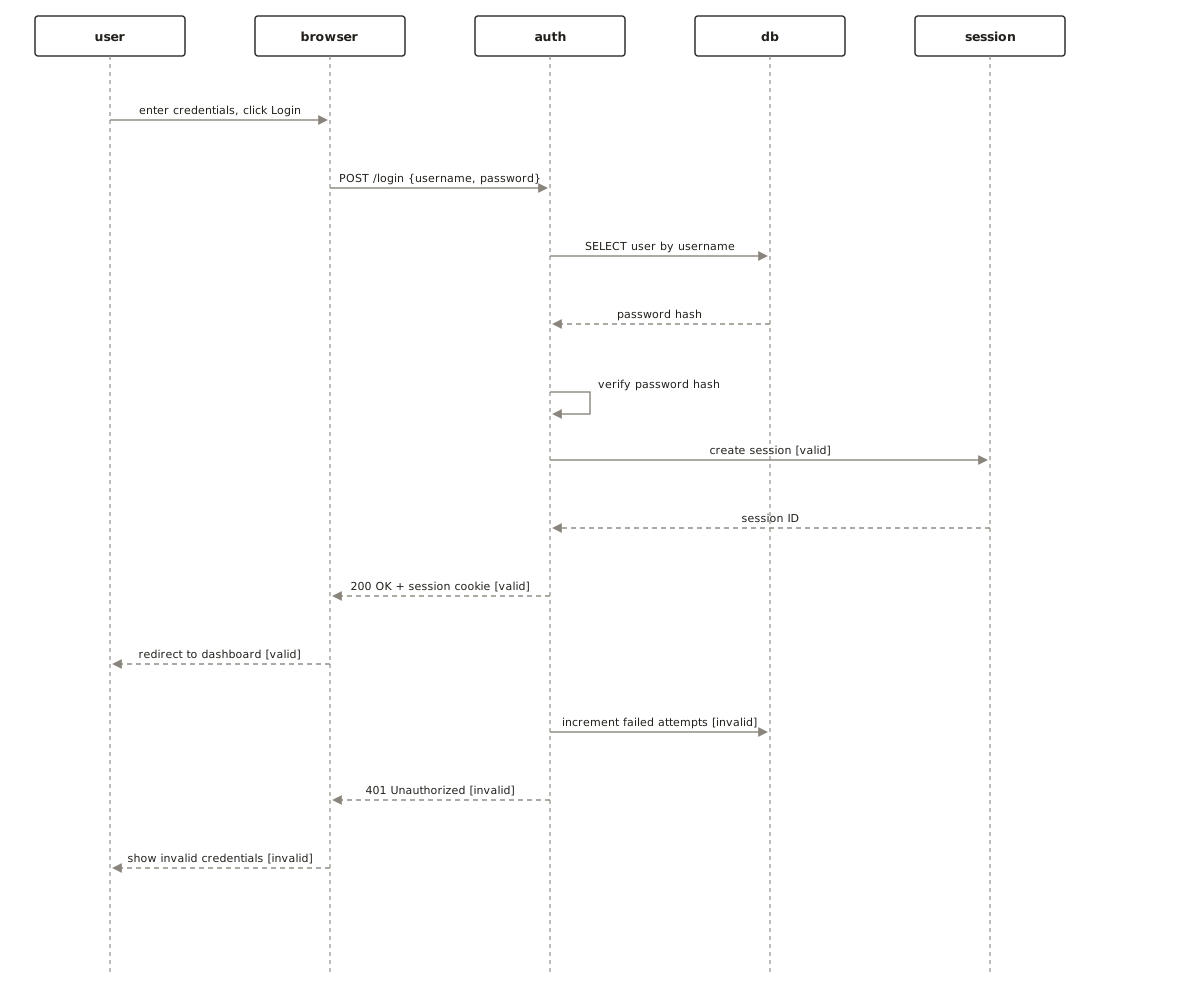
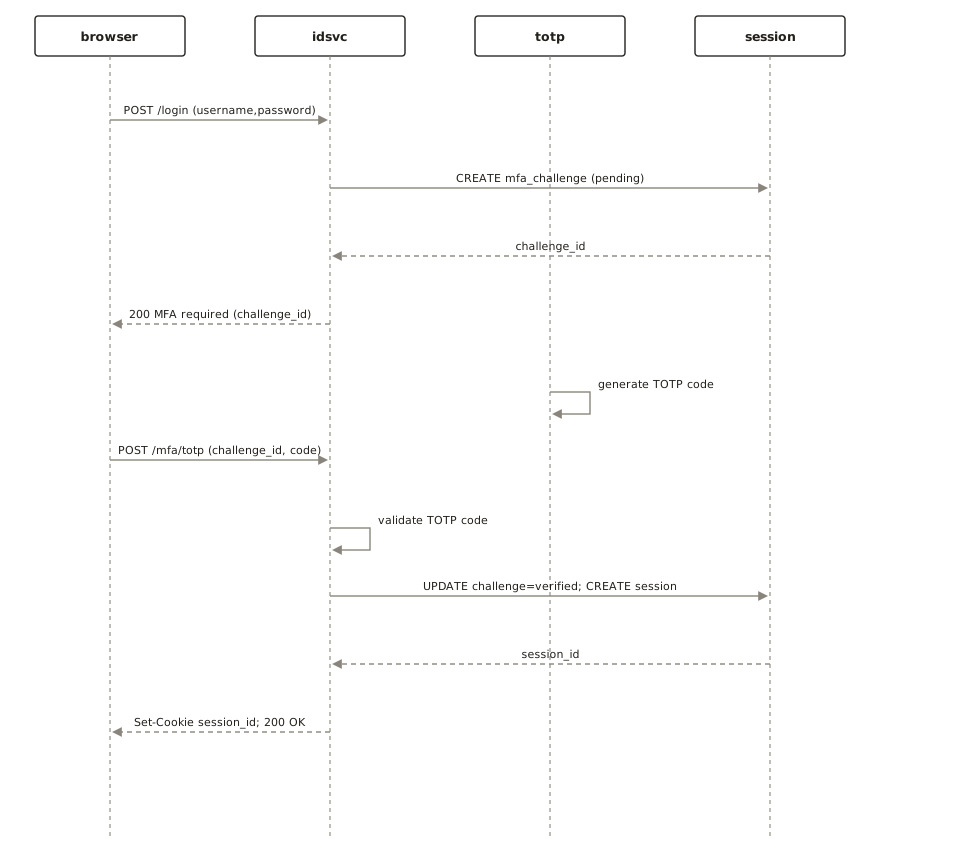
The login prompt pre-filled above produces a diagram like the login sequence diagram example; open any example in the gallery below to see the exact text that generated it.
What symbols does a sequence diagram use?
Twelve symbols cover practically every sequence diagram: participants and actors with their lifelines, four kinds of message arrow (synchronous, asynchronous, return, self), activation bars, create and destroy marks, combined fragments, and notes. The last column says whether ChartCraft's generator draws the symbol today.
| Symbol | Name | What it means | Mermaid syntax | ChartCraft draws it |
|---|---|---|---|---|
| Actor | A human or external system that starts the interaction — drawn as a stick figure. | actor U as User | Yes | |
| Participant + lifeline | A box for each object or service, with a dashed line below it showing that it exists through time. | participant A as Auth service | Yes | |
| Activation bar | A thin rectangle on the lifeline: the period when the participant is busy handling a call. | A->>+B: call / B-->>-A: reply | Mermaid only | |
| Synchronous message | A call where the sender waits for the answer — solid line, filled arrowhead. | A->>B: POST /login | Yes | |
| Asynchronous message | Fire-and-forget: the sender carries on without waiting — open arrowhead. | A-)B: publish event | Yes | |
| Return message | The reply to an earlier call — dashed line pointing back to the caller. | B-->>A: 200 OK | Yes | |
| Self message | A participant calling itself: validation, a computation, a retry. | A->>A: sign JWT | Yes | |
| Create message | A message that brings a new participant into existence part-way down the diagram. | create participant C | Mermaid only | |
| Destroy (X) | An X at the end of a lifeline: the object is deleted or the session ends. | destroy C | Mermaid only | |
| Combined fragment | A labelled box around messages: alt (if/else), opt (if), loop, par (parallel), break, critical. | alt ... else ... end | Mermaid only | |
| Note | A comment attached to one or more lifelines. Not part of the interaction itself. | Note over A,B: text | Mermaid only | |
| Boundary / control / entity | Robustness stereotypes: the screen or API edge, the coordinating logic, the stored data. | participant X@{ "type": "boundary" } | Mermaid only |
Want the full visual reference in Indonesian? See Simbol sequence diagram dan fungsinya.
What does a sequence diagram look like in Mermaid code?
A Mermaid sequence diagram starts with sequenceDiagram, declares participants (use actor for people), then lists one message per line as Sender->>Receiver: label. Here is a complete login flow with numbering, activation bars and an if/else branch — paste it into any Mermaid renderer:
sequenceDiagram
    autonumber
    actor U as User
    participant W as Web app
    participant A as Auth service
    participant D as User DB
    U->>W: Submit email + password
    W->>+A: POST /login
    A->>+D: SELECT user WHERE email = ?
    D-->>-A: user record
    alt password matches
        A->>A: sign JWT
        A-->>W: 200 { token }
        W-->>U: Show dashboard
    else wrong password
        A-->>W: 401 Unauthorized
        W-->>U: Show error
    end
    deactivate A
autonumber numbers the messages, +/- after the arrow open and close an activation bar, and alt … else … end draws the if/else fragment. All code on this page was checked with the Mermaid 12 parser.
What is the difference between synchronous, asynchronous and return messages?
A synchronous message (solid line, filled arrowhead) means the sender waits for an answer; an asynchronous message (open arrowhead) means it does not wait; a return message (dashed line) carries the answer back to whoever made the synchronous call.
| Mermaid arrow | Line | Use it for |
|---|---|---|
->> | Solid, filled head | Synchronous call — HTTP request, function call, RPC. |
-->> | Dotted, filled head | Return / response to an earlier call. |
-) | Solid, open head | Asynchronous message — queued job, published event, webhook you don't wait for. |
-x | Solid, cross at the end | Message that is lost or rejected. |
-> / --> | Solid / dotted, no head | Plain connection where the direction doesn't matter. |
sequenceDiagram
    participant A
    participant B
    A->>B: synchronous call (solid, filled head)
    B-->>A: return (dotted, filled head)
    A-)B: asynchronous message (open head)
    A-xB: lost / rejected message (cross)
    A->B: plain solid line, no head
    A-->B: plain dotted line, no head
How do I show if/else, loops and parallel steps in a sequence diagram?
With combined fragments — boxes drawn around the messages they govern, labelled with an operator and a guard condition: alt for if/else, opt for an optional block, loop for repetition, par for steps that run in parallel, break for an early exit and critical for a block that must not be interrupted.
| Fragment | Means | Mermaid |
|---|---|---|
| alt | If / else — exactly one region runs, chosen by its guard. | alt [cond] … else … end |
| opt | If — the region runs only when the guard holds. | opt [cond] … end |
| loop | Repeat the region while the guard holds. | loop [cond] … end |
| par | Regions run in parallel. | par … and … end |
| break | Run the region and then leave the enclosing interaction. | break [cond] … end |
| critical | The region runs atomically. | critical … option … end |
sequenceDiagram
    participant C as Checkout
    participant P as Payment API
    participant I as Inventory
    participant M as Mailer
    opt customer applied a coupon
        C->>P: validate coupon
    end
    loop up to 3 retries
        C->>P: charge card
    end
    par reserve stock
        C->>I: reserve items
    and send receipt
        C-)M: queue receipt email
    end
    break card declined
        P-->>C: payment failed
    end
    Note over C,P: Payment is idempotent per order id
When should I use a sequence diagram instead of a flowchart or activity diagram?
Use a sequence diagram when the important thing is the conversation between parties — which service calls which, in what order, and what comes back. Use a flowchart or an activity diagram when the important thing is the steps and decisions of one process.
| Diagram | Answers | Typical subject |
|---|---|---|
| Sequence | Who talks to whom, in what order? | API calls, login and OAuth flows, payment handshakes, microservice calls. |
| Flowchart | What are the steps, and where does it branch? | Algorithms, business rules, troubleshooting guides. |
| Activity | What happens, who does it, what runs in parallel? | Business processes with swimlanes, fork/join concurrency. |
| State machine | What states does one thing move through? | Order status, TCP connection, ATM session. |
What do real sequence diagrams made with the generator look like?
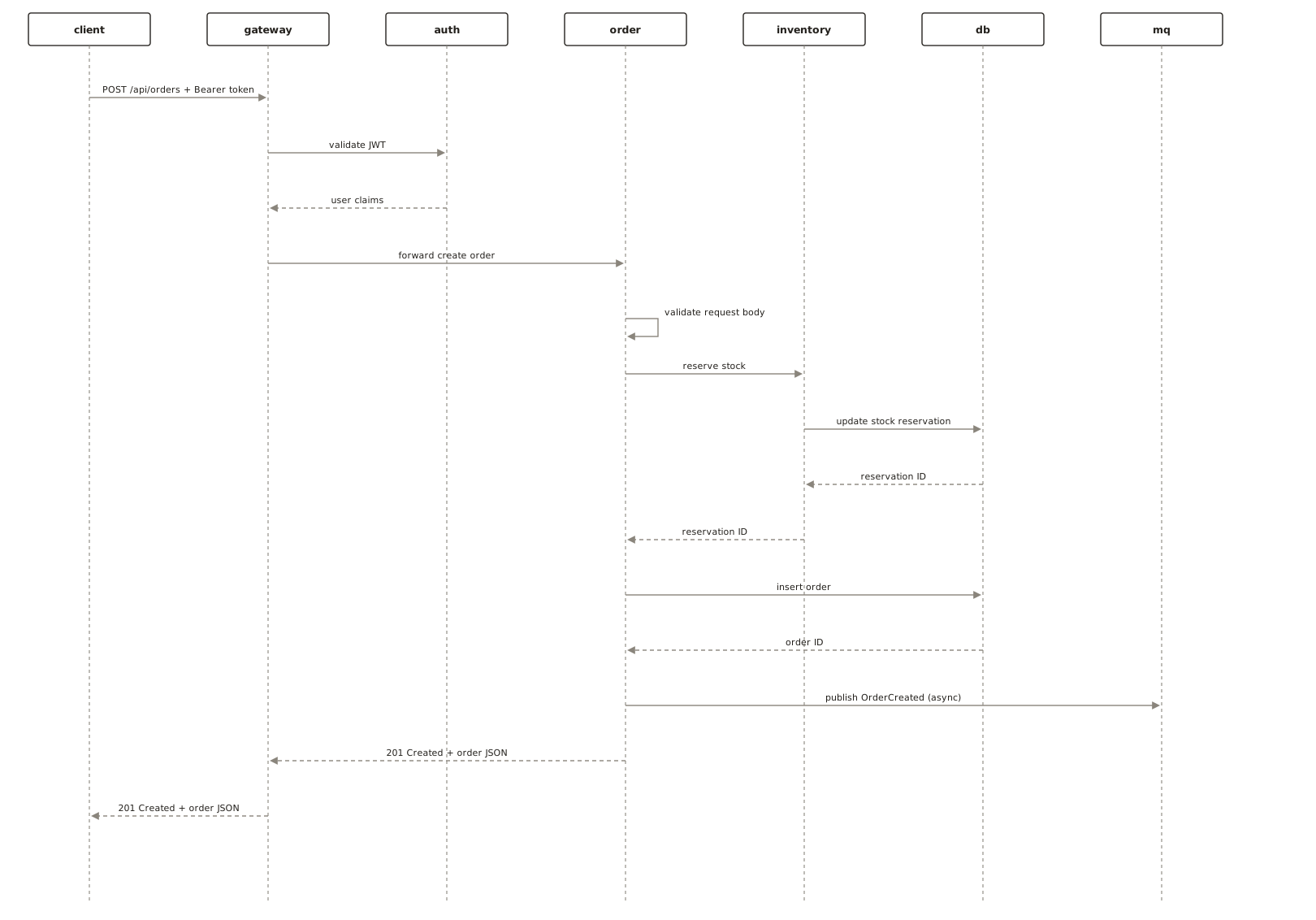
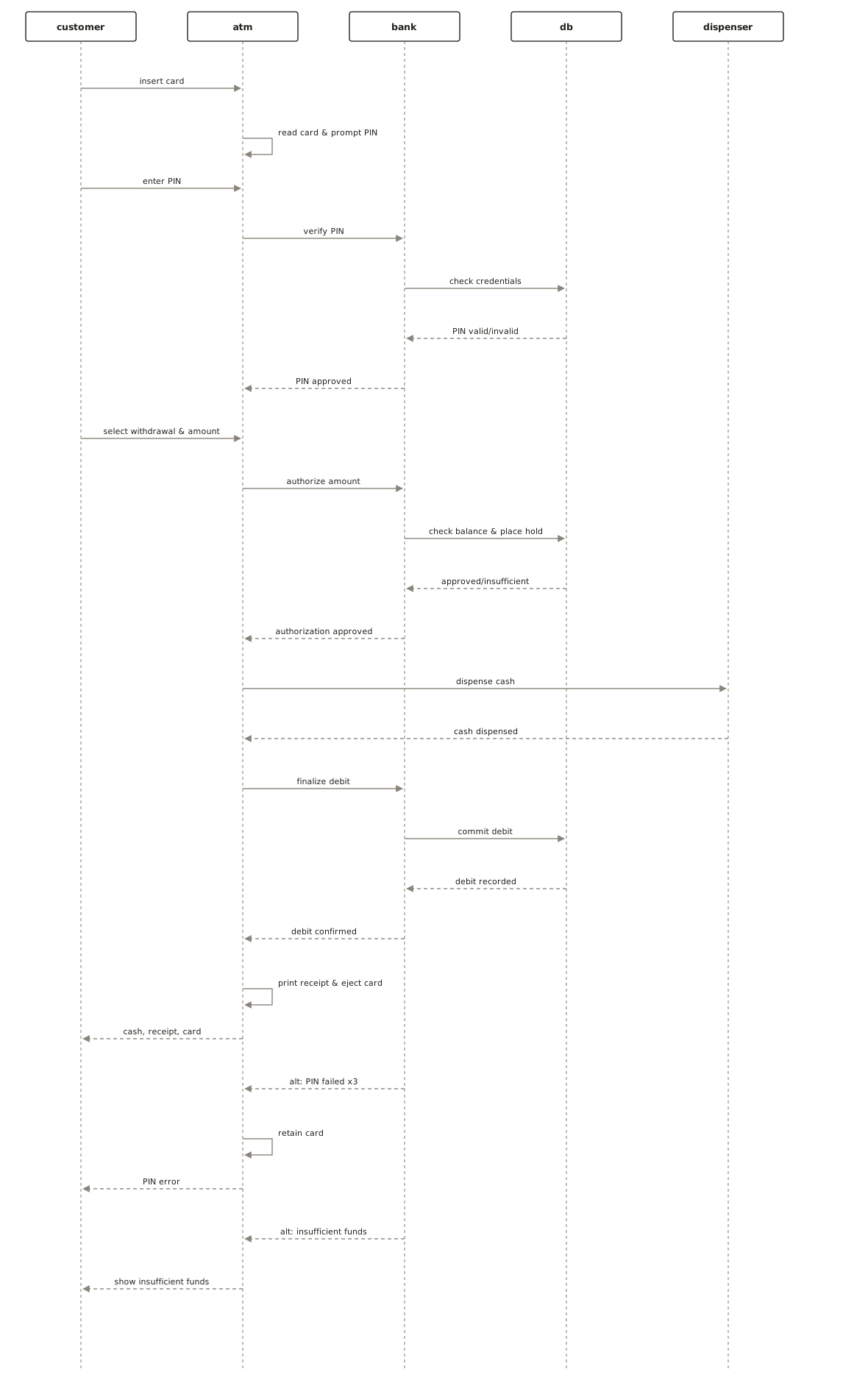
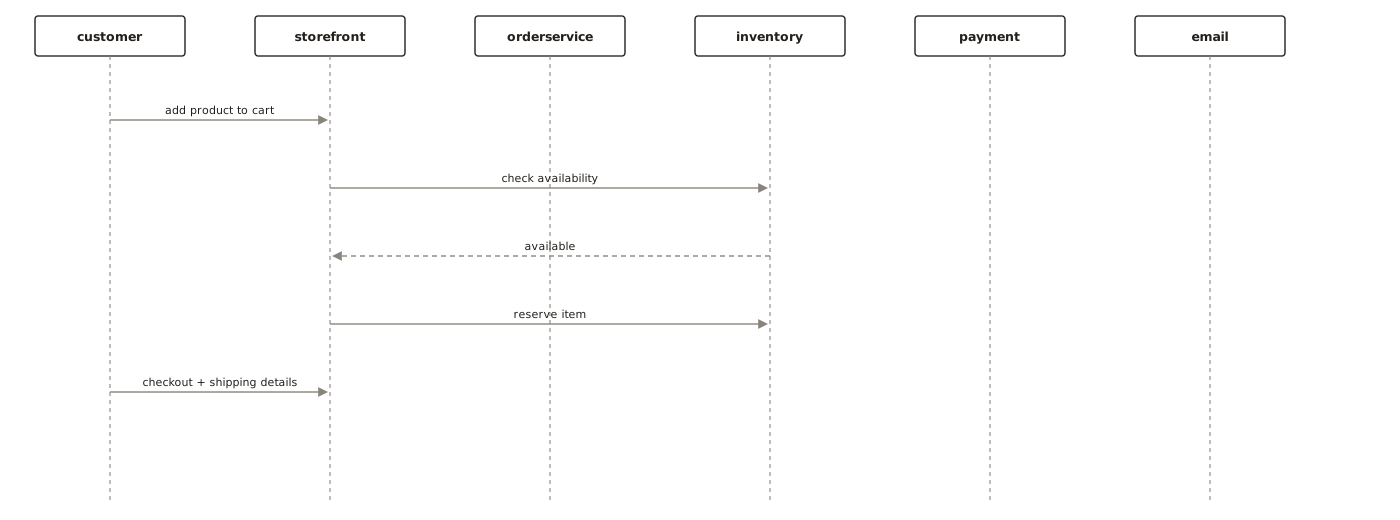
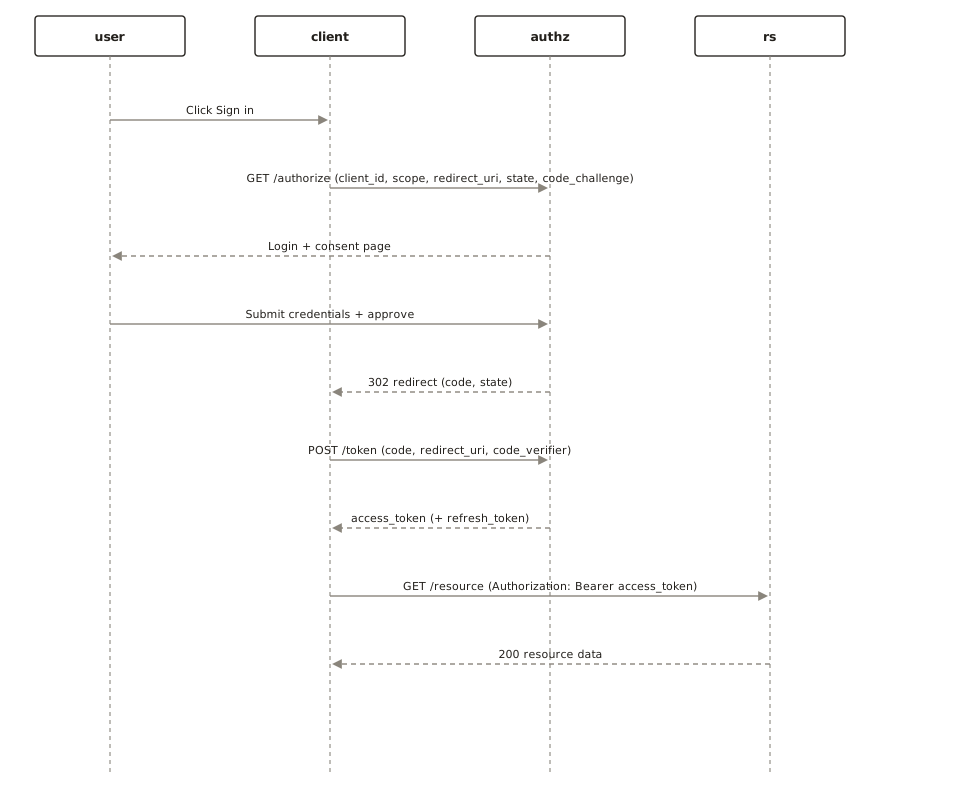
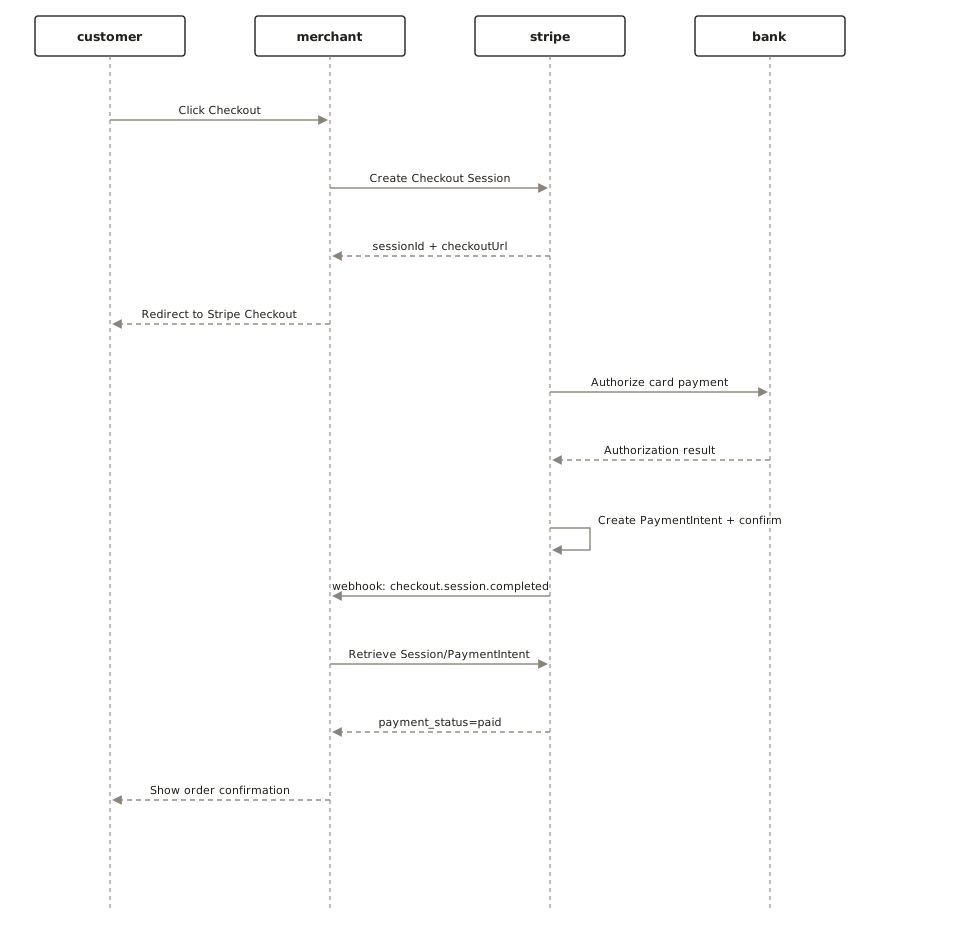
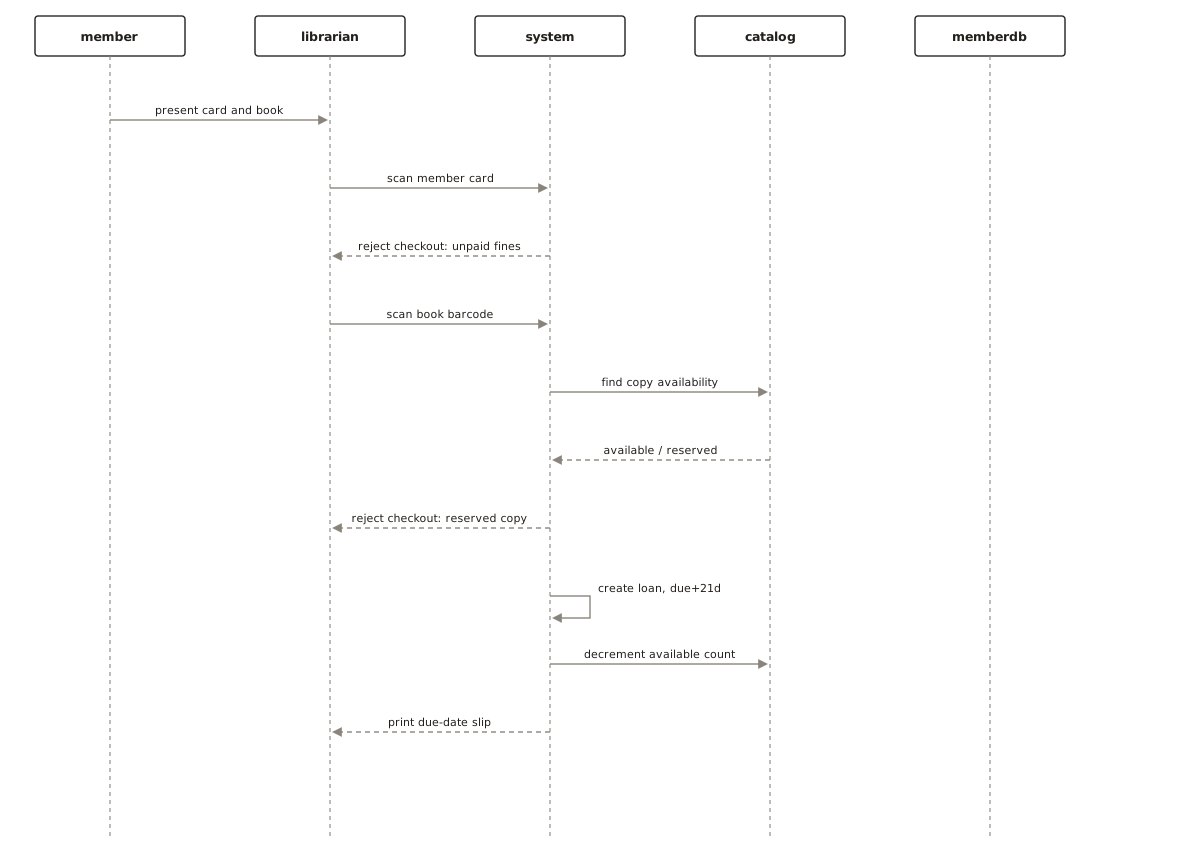
Below are sequence diagrams from the public examples gallery, each generated from a plain-English description — open one to see the prompt that produced it. More are collected on the sequence diagram examples page.
Questions
Is this sequence diagram generator free?
Yes. Your first 3 diagrams are free with no account; a free account gives you 5 a month. SVG and PNG export are available on every plan, including free, with no watermark.
How do I make a sequence diagram from text?
Write the interaction in order, one step per sentence, naming the sender and the receiver: "The user submits the form. The web app calls the auth service. The auth service queries the database and returns a token." ChartCraft turns each named actor or system into a lifeline and each step into a time-ordered message.
What are the main symbols of a sequence diagram?
Participants (boxes, or stick figures for human actors) with dashed lifelines beneath them, horizontal arrows for messages — solid with a filled head for synchronous calls, open head for asynchronous, dashed for returns — thin activation bars, and labelled fragment boxes such as alt, opt and loop for conditions and repetition.
What is the difference between a synchronous and an asynchronous message?
A synchronous message (solid line, filled arrowhead) means the sender waits for the reply before continuing — a normal function or HTTP call. An asynchronous message (open arrowhead) is fire-and-forget: the sender continues immediately, as with a queued job or a published event.
How do I show if/else in a sequence diagram?
Use an alt fragment: a box labelled alt, split by a dashed line into one region per condition, each with its guard, e.g. [password matches] and [wrong password]. Use opt for a single optional block and loop for repetition. In Mermaid: alt ... else ... end.
Can ChartCraft draw alt/loop fragments and activation bars?
Not yet. ChartCraft's generator draws participants (actors, systems, databases, components) and synchronous, asynchronous, return and self messages. For fragments, activation bars and notes, use the Mermaid code on this page — Mermaid renders all of them.
Sequence diagram or flowchart — which should I use?
Use a sequence diagram when the question is who talks to whom and in what order — APIs, login flows, service calls. Use a flowchart when the question is what steps happen and where the process branches, regardless of who performs them.
Can I export the diagram?
Yes — export to SVG or PNG from the studio, on every plan, without a watermark.