Reference
Flowchart symbols and their meanings
All 21 standard flowchart shapes — what each one means, when to use it, and its Mermaid syntax. Six of them do 95% of the work; the rest are here for the day you meet them in someone else's diagram.
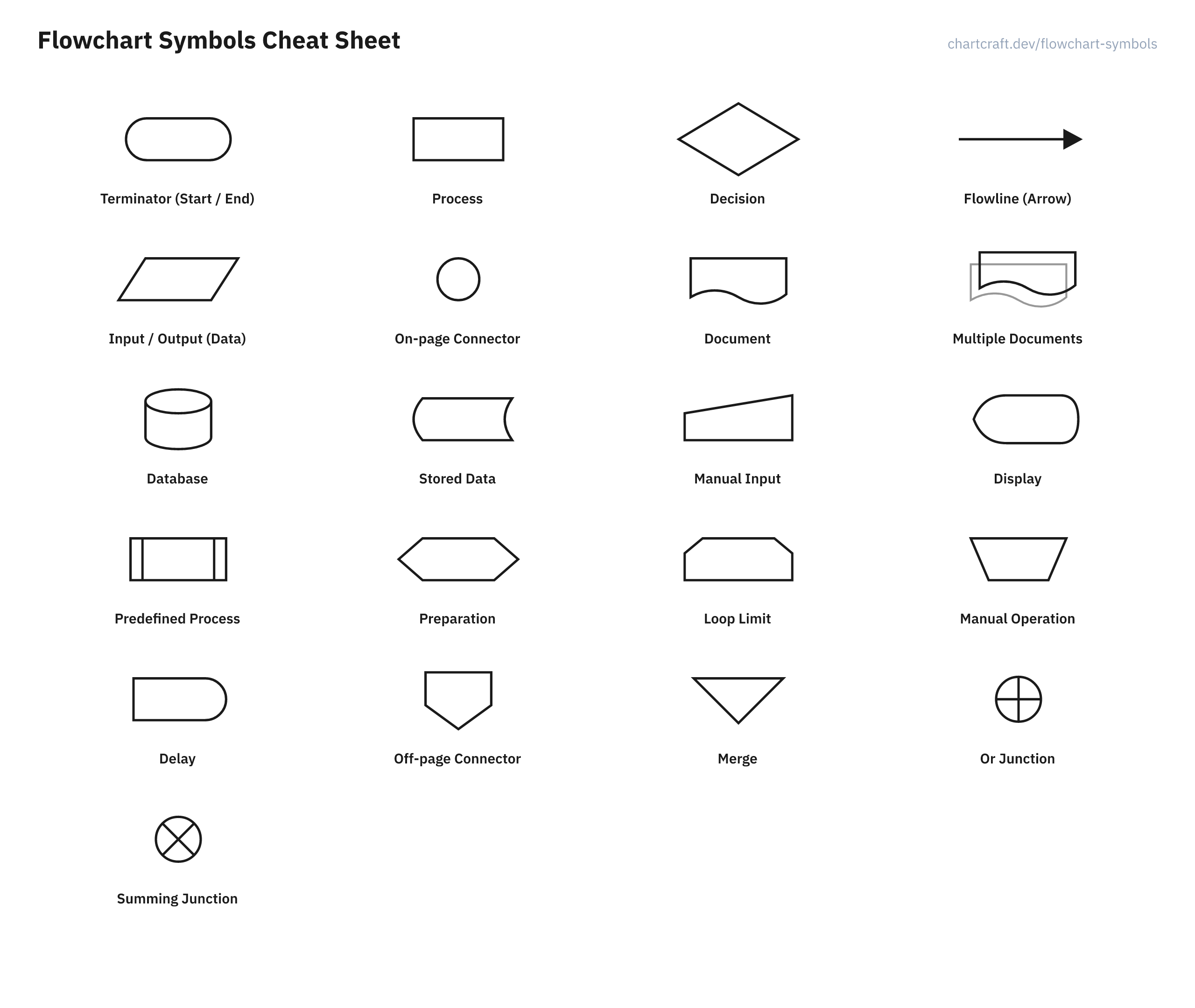
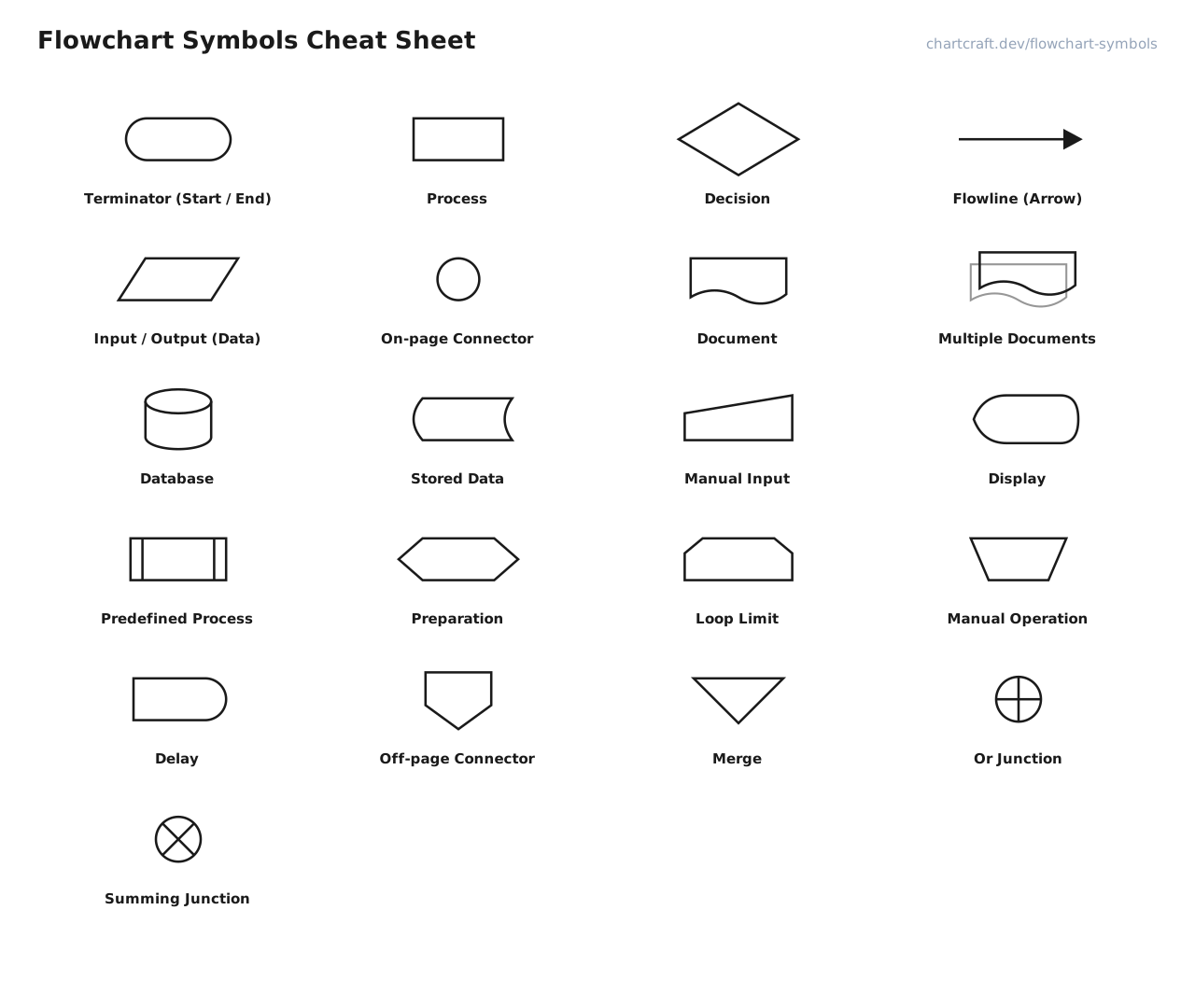
Basic flowchart symbols
Six shapes cover the vast majority of real flowcharts. Learn these and you can read almost any diagram you'll meet — everything else is refinement.
Terminator (Start / End)
Terminal, pill, capsule
Marks where a flowchart begins and ends. Every flowchart has exactly one Start terminator and at least one End — if you can enter or leave the process, it happens through one of these.
Use it for: First and last shape of every flowchart.
A([Start])
Process
Action, operation, rectangle
A single step that does something: calculate a total, send an email, update a record. The workhorse of every flowchart — if in doubt, it's a process.
Use it for: Any action or instruction carried out in the flow.
B[Validate input]
Decision
Conditional, branch, diamond
A question with two or more labelled exits — most often Yes/No or True/False. The flow follows exactly one branch, so every exit must be labelled with its condition.
Use it for: Anywhere the flow splits based on a condition.
C{In stock?}
Flowline (Arrow)
Connector line, flow of control
Shows the order of execution — which step happens next. Arrows should flow top-to-bottom or left-to-right wherever possible; crossing lines are the #1 readability killer.
Use it for: Connects every pair of consecutive steps.
A --> B
Input / Output (Data)
Parallelogram, I/O
Data entering or leaving the process: reading user input, printing a result, writing a file. The slanted sides distinguish moving data from acting on it (a process).
Use it for: Reading input, displaying or writing output.
D[/Read order id/]
On-page Connector
Junction, circle
A labelled jump point that joins two distant parts of the same page without drawing a long line across the chart. Use matching letters or numbers in each pair.
Use it for: Avoiding long or crossing flowlines on one page.
E((1))
Process and document flowchart symbols
Business-process charts add shapes for the artifacts a process touches: documents, databases, screens, and data keyed in by people.
Document
Report, printout
A document or report produced or consumed by the process — an invoice, a printed form, a generated PDF. The wavy bottom edge suggests paper.
Use it for: A step whose input or output is a document.
No Mermaid equivalent — use a process rectangle
Multiple Documents
Document stack
A set of documents rather than one — a batch of invoices, a report pack. Functionally identical to Document, drawn stacked to signal plurality.
Use it for: Steps that emit or take a batch of documents.
No Mermaid equivalent — use a process rectangle
Database
Cylinder, direct access storage
Data held in a database or any direct-access store. Reads and writes against it are drawn as flowlines into and out of the cylinder.
Use it for: Querying or persisting structured data.
F[(orders db)]
Stored Data
Data storage
General stored data when the medium doesn't matter — a file, a cache, cloud storage. Use Database when it's specifically a database.
Use it for: Reading from or writing to generic storage.
No Mermaid equivalent — use a process rectangle
Manual Input
Keying, keyboard input
Data typed in by a person at this point in the flow — filling a form, entering a code. The sloped top suggests a keyboard.
Use it for: Steps where a human keys in data.
No Mermaid equivalent — use a process rectangle
Display
Screen, monitor
Information shown to a person on a screen — a confirmation message, a dashboard, an error dialog. Output for humans, as opposed to data written for machines.
Use it for: Anything the user sees on screen.
No Mermaid equivalent — use a process rectangle
Programming flowchart symbols
Charts describing code add symbols for subroutines, loop setup, and waits — the control-flow vocabulary of structured programming.
Predefined Process
Subroutine, subprocess, module
A named step whose details live in another flowchart — a function call, a shared subprocess. The double side bars say "defined elsewhere"; keep the label identical to the sub-flowchart's title.
Use it for: Calling a routine documented in its own chart.
G[[checkout()]]
Preparation
Initialization, hexagon
A setup step that changes the state of the process itself rather than its data — initializing a counter before a loop, setting a flag, configuring a switch.
Use it for: Loop initialization (i = 0) and configuration steps.
H{{i = 0}}
Loop Limit
Loop start / loop end
Brackets the body of a loop: the top symbol states the loop condition or count, the mirrored bottom symbol closes it. Common in structured (NS-style) charts; many authors use a Decision with a back-edge instead.
Use it for: Marking where a repeat-N-times loop starts and ends.
No Mermaid equivalent — use a process rectangle
Manual Operation
Trapezoid
A step done entirely by hand, with no automation — a physical inspection, signing a form, loading paper. Highlights where a process stops being automatic.
Use it for: Human-performed steps in an otherwise automated flow.
I[/Inspect part\]
Delay
Wait, D-shape
A deliberate wait: for an approval, a timer, a nightly batch window. Nothing happens to the data — time simply passes before the next step.
Use it for: Waiting periods and scheduled pauses.
No Mermaid equivalent — use a process rectangle
Advanced and system symbols
Formal notations (ANSI/ISO 5807) define junction and connector shapes you'll mostly meet in engineering documents and older textbooks.
Off-page Connector
Off-page reference
Continues the flow on a different page or diagram. Label both ends with the same reference (A, B, …) and the target page. The home-plate shape points toward the continuation.
Use it for: Multi-page flowcharts.
No Mermaid equivalent — use a process rectangle
Merge
Inverted triangle
Several incoming paths combine into one continuing flow — the counterpart of a Decision's split. In process-engineering charts it can also mean physically merging materials.
Use it for: Joining parallel branches back together.
No Mermaid equivalent — use a process rectangle
Or Junction
Circle-plus
The flow continues when any one of the incoming branches arrives. Rare outside formal process charts — most authors express the same thing with labelled flowlines.
Use it for: Formal charts showing alternative inputs.
No Mermaid equivalent — use a process rectangle
Summing Junction
Circle-cross, AND junction
The flow continues only when all incoming branches have arrived — a logical AND over paths. Like the Or junction, it belongs to formal notation and is rarely needed in everyday charts.
Use it for: Formal charts requiring every input to complete.
No Mermaid equivalent — use a process rectangle
All flowchart symbols at a glance
The complete reference table — every symbol, its meaning, and its Mermaid flowchart syntax where one exists.
| Symbol | Name | Meaning | Mermaid |
|---|---|---|---|
| Terminator (Start / End) | First and last shape of every flowchart. | A([Start]) | |
| Process | Any action or instruction carried out in the flow. | B[Validate input] | |
| Decision | Anywhere the flow splits based on a condition. | C{In stock?} | |
| Flowline (Arrow) | Connects every pair of consecutive steps. | A --> B | |
| Input / Output (Data) | Reading input, displaying or writing output. | D[/Read order id/] | |
| On-page Connector | Avoiding long or crossing flowlines on one page. | E((1)) | |
| Document | A step whose input or output is a document. | — | |
| Multiple Documents | Steps that emit or take a batch of documents. | — | |
| Database | Querying or persisting structured data. | F[(orders db)] | |
| Stored Data | Reading from or writing to generic storage. | — | |
| Manual Input | Steps where a human keys in data. | — | |
| Display | Anything the user sees on screen. | — | |
| Predefined Process | Calling a routine documented in its own chart. | G[[checkout()]] | |
| Preparation | Loop initialization (i = 0) and configuration steps. | H{{i = 0}} | |
| Loop Limit | Marking where a repeat-N-times loop starts and ends. | — | |
| Manual Operation | Human-performed steps in an otherwise automated flow. | I[/Inspect part\] | |
| Delay | Waiting periods and scheduled pauses. | — | |
| Off-page Connector | Multi-page flowcharts. | — | |
| Merge | Joining parallel branches back together. | — | |
| Or Junction | Formal charts showing alternative inputs. | — | |
| Summing Junction | Formal charts requiring every input to complete. | — |
Flowchart symbol examples
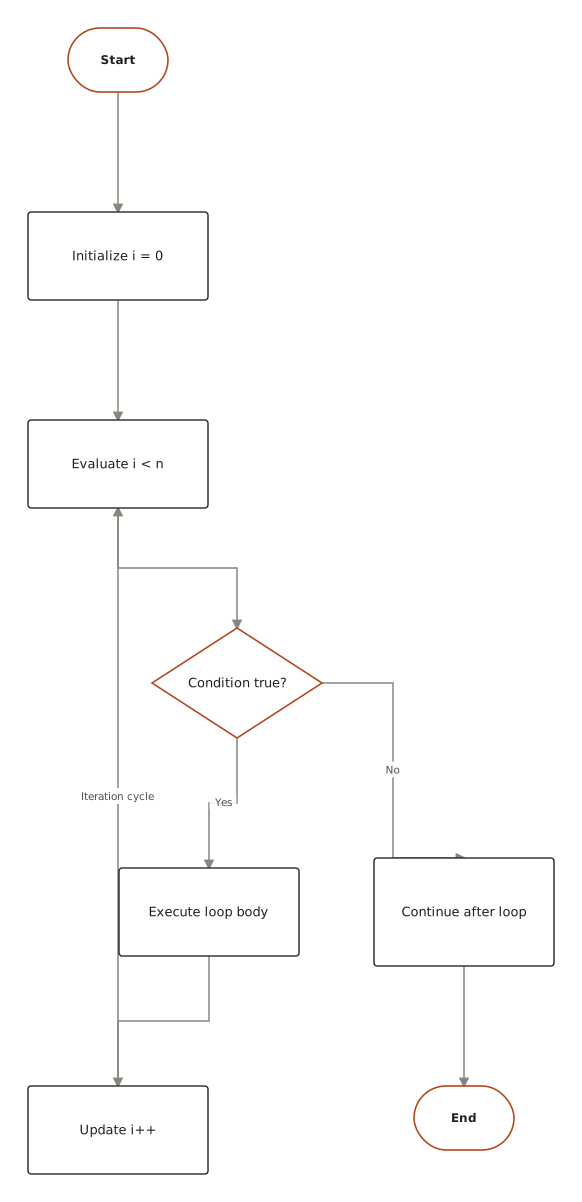
The symbols in action: a classic programming flowchart using terminators, processes, a decision with labelled branches, and flowlines — generated with ChartCraft from a plain-English description.
Questions
What are the basic symbols of a flowchart?
The six basic flowchart symbols are the terminator (rounded rectangle — start and end), process (rectangle — an action), decision (diamond — a yes/no branch), flowline (arrow — order of steps), input/output (parallelogram — data in or out), and the on-page connector (circle — a labelled jump).
What does the diamond symbol mean in a flowchart?
The diamond is a decision: a question with two or more labelled exits, most often Yes/No. The flow follows exactly one exit depending on the condition, so every branch leaving a diamond must be labelled.
What is the difference between the process and predefined process symbols?
A process (plain rectangle) is a step described completely by its label. A predefined process (rectangle with double side bars) names a routine whose detailed steps are documented in a separate flowchart — like calling a function.
What does the parallelogram mean in a flowchart?
The parallelogram is input/output: data entering the process (reading user input, receiving a file) or leaving it (printing a result, writing a record). Some charts distinguish manual input with a sloped-top quadrilateral.
Are flowchart symbols standardized?
Yes — the core set goes back to ANSI and ISO 5807. The first six shapes are universal; beyond them, conventions vary a little between programming, business-process, and engineering charts, so include a legend if you use uncommon shapes.