Flowchart examples
Flowchart examples by type, with diagrams you can copy
A flowchart example is a finished diagram of a real process: ovals mark where it starts and ends, rectangles are steps, diamonds are yes/no decisions, and arrows show the order. Below are 8 flowchart examples by type — simple process, decision, algorithm with a loop, swimlane, onboarding, troubleshooting, login, and order processing — each with a one-line “when to use”, the diagram, and the plain-English prompt that drew it, so you can copy one and adapt it.
Updated
8 flowchart examples by type
Pick the type that matches your process, copy its prompt into the studio, and change the nouns.
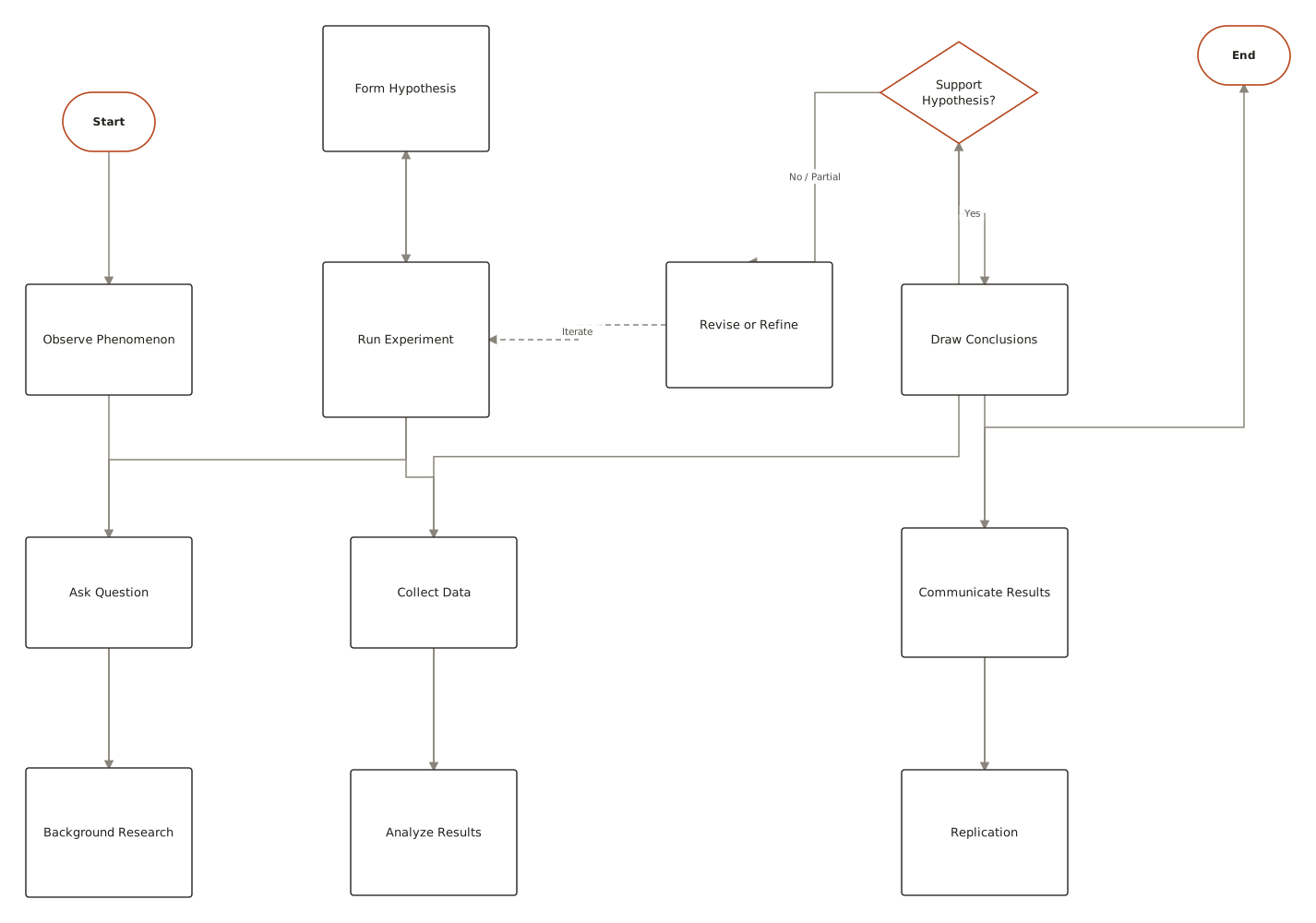
- Simple process flowchart
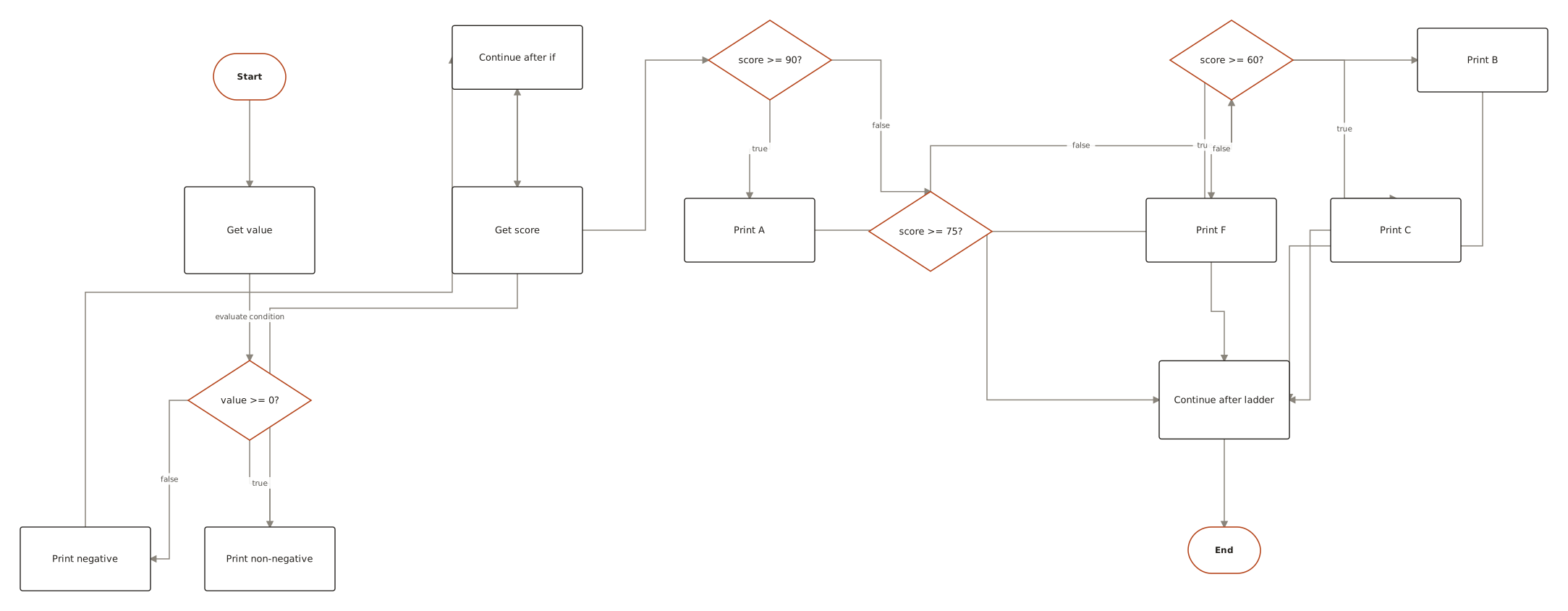
- Decision (yes/no) flowchart
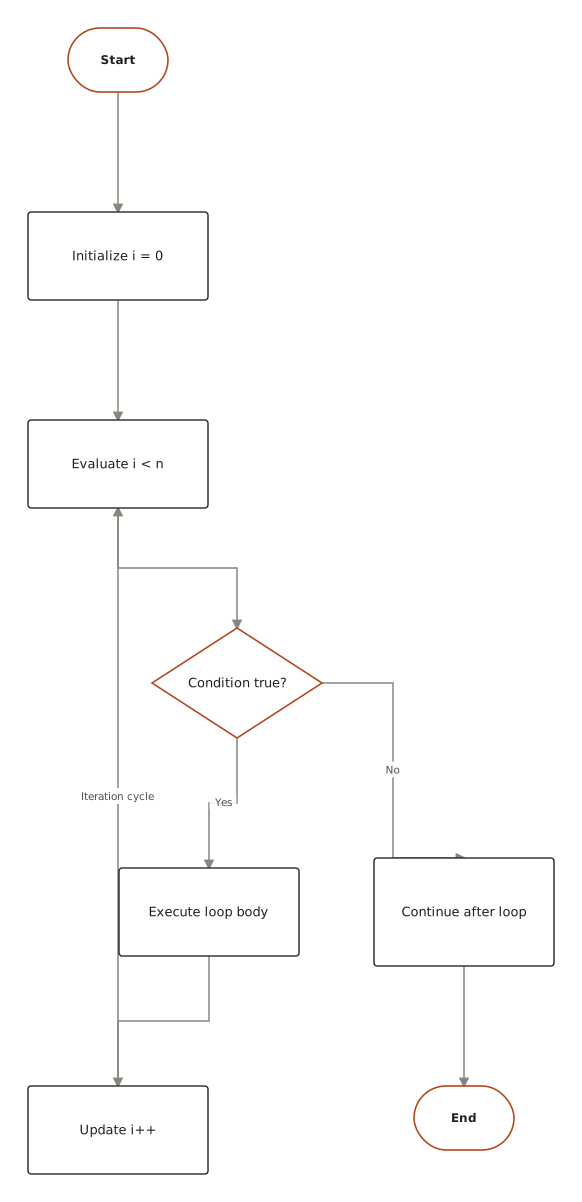
- Algorithm flowchart (with a loop)
- Swimlane (cross-functional) flowchart
- Onboarding flowchart
- Troubleshooting flowchart
- Login flowchart
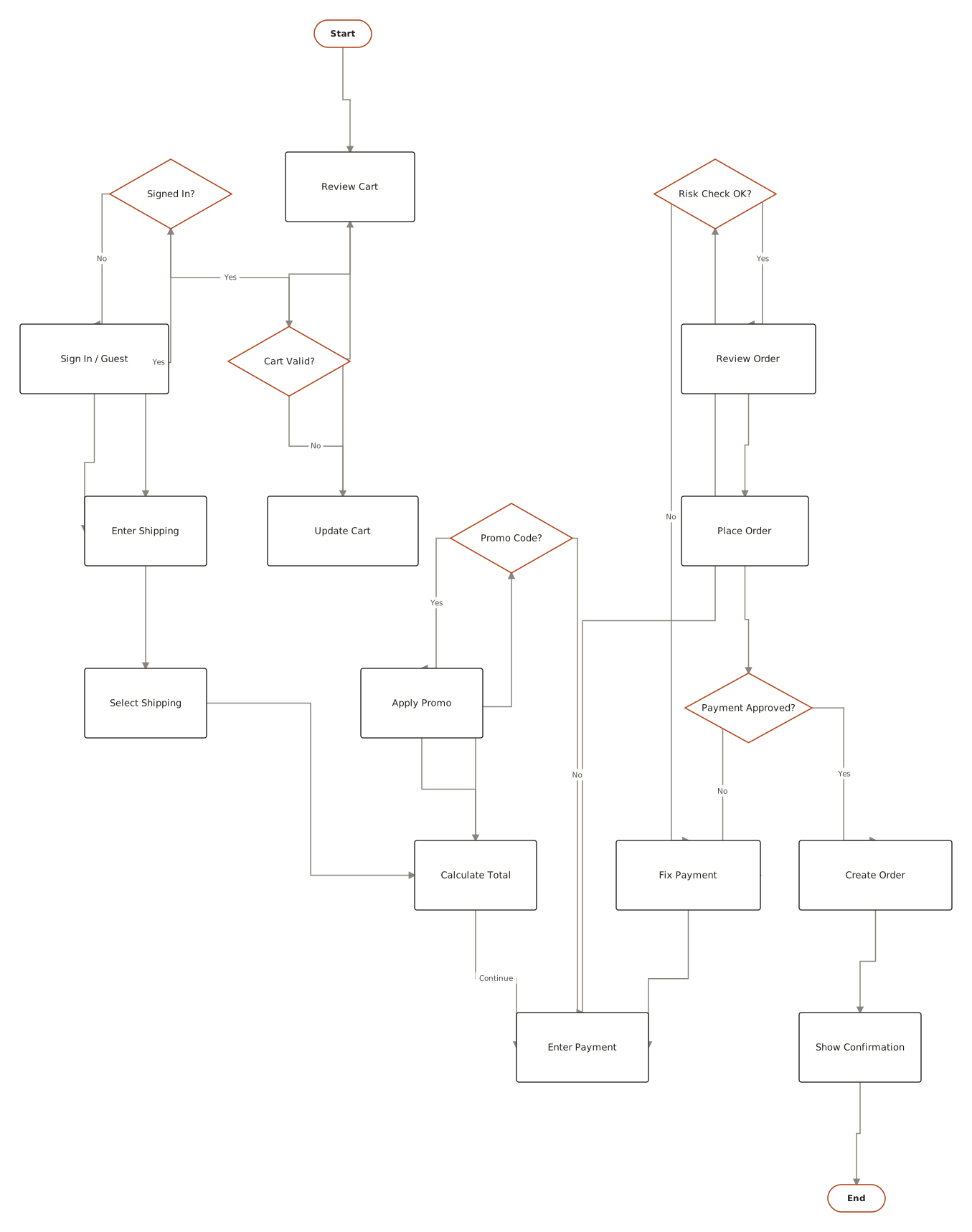
- Order process flowchart
01Simple process flowchart
When to use: Use it for a routine with no choices — an SOP, a checklist, a recipe — where the only question is the order of the steps.
Prompt
To publish a blog post: write the draft, have it edited, add images, then schedule the post and share it on social media.
More like this: Scientific method · Water cycle
02Decision (yes/no) flowchart
When to use: Use it when one or two questions decide the outcome — approvals, eligibility rules, “should I…?” choices.
Prompt
An employee submits an expense. If it's under $500 it's approved automatically. Otherwise the manager reviews it and either approves it or rejects it with a reason.
More like this: Yes/no flowchart · Decision making · If-else statement
03Algorithm flowchart (with a loop)
When to use: Use it to plan program logic or explain an algorithm — anything that repeats until a condition changes.
Prompt
Find the largest number in a list: set max to the first item, then for each remaining item, if it's bigger than max, set max to it. When there are no items left, output max.
More like this: For loop · While loop
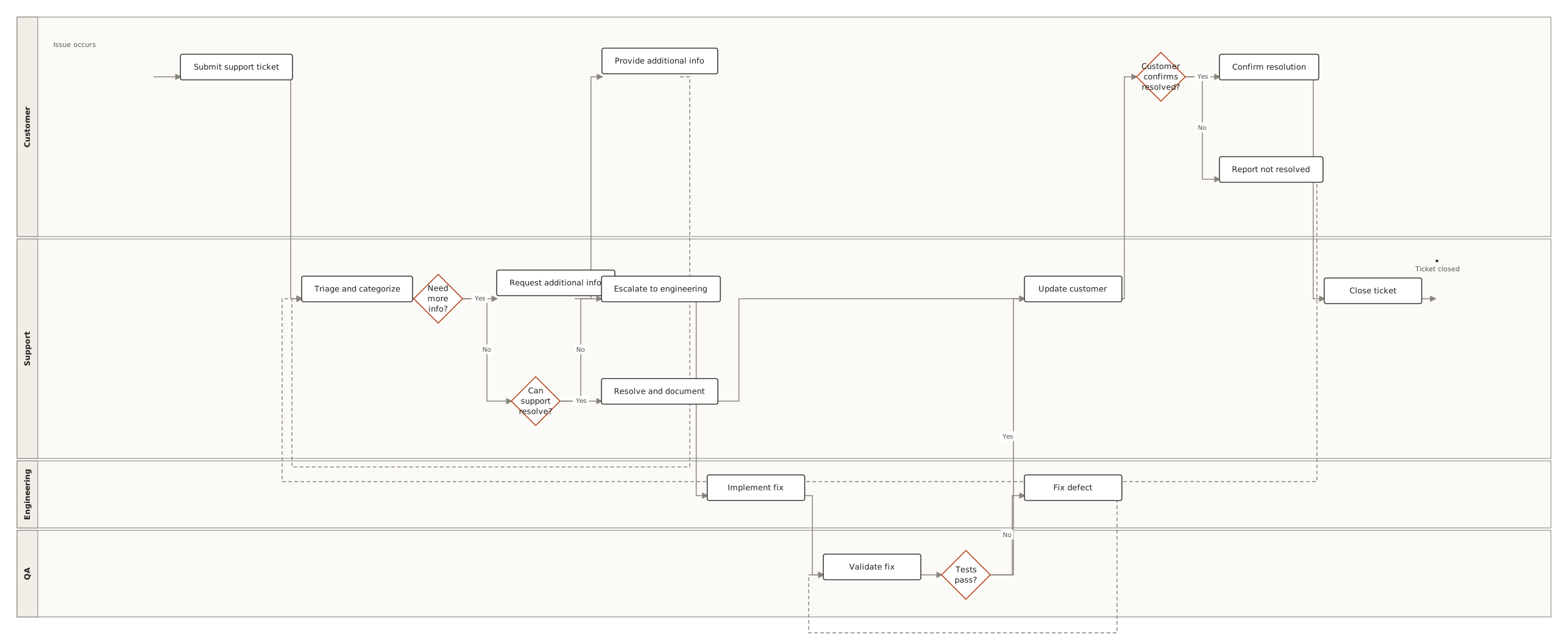
04Swimlane (cross-functional) flowchart
When to use: Use it when a process passes between people or teams and you need to show who does each step — handoffs are where processes break.
Prompt
An employee raises a purchase request. Their manager approves or rejects it. Approved requests go to Finance, which creates the purchase order and pays the supplier.
More like this: Purchase order approval · Insurance claim · Airport check-in
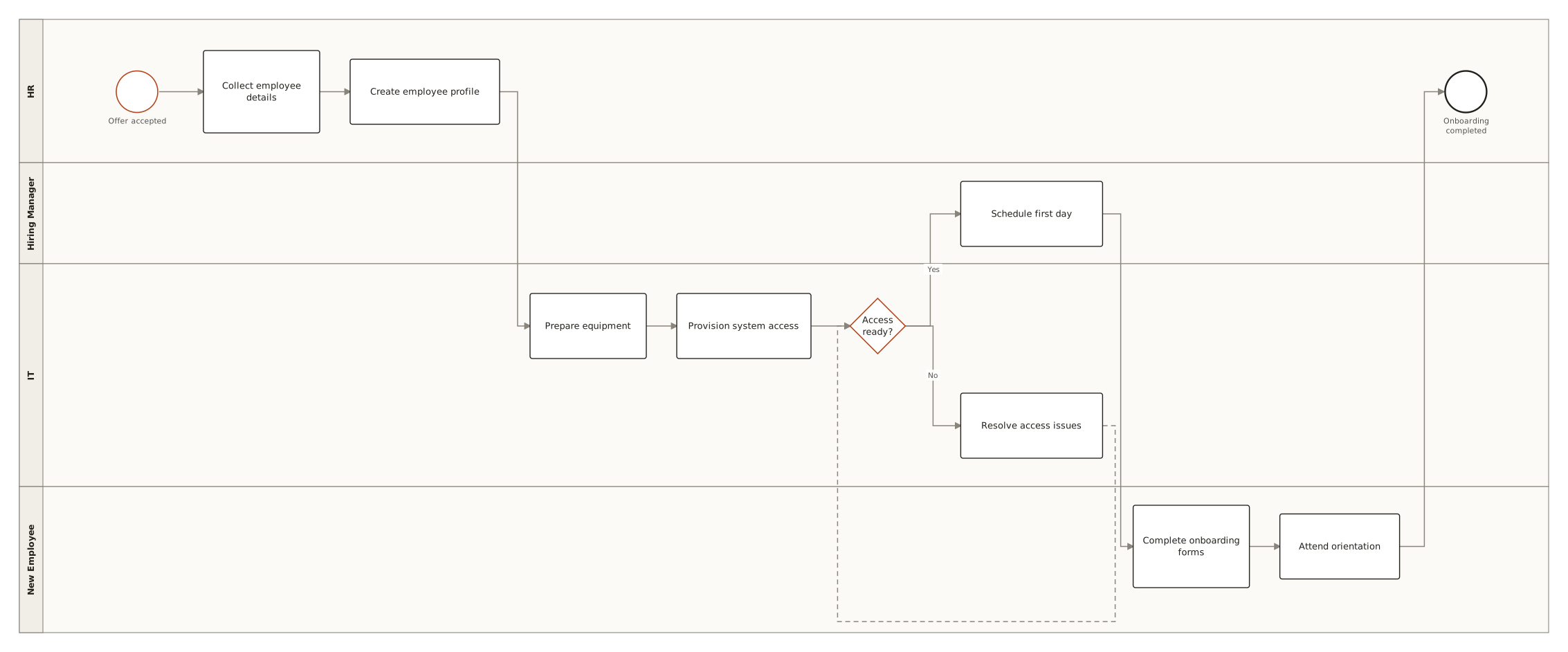
05Onboarding flowchart
When to use: Use it to map the first-run path of a product or a new hire, and to spot where people drop out.
Prompt
A new user signs up, verifies their email, and if their profile is incomplete we prompt for details before activating the account and showing a welcome screen.
More like this: Employee onboarding · Hiring process
06Troubleshooting flowchart
When to use: Use it for help-desk and self-service guides: a chain of checks, each with a fix, ending in “escalate”.
Prompt
The printer won't print. Check it's switched on and has paper; if not, fix that and check again. If it is, restart the printer. If it prints now you're done; if not, contact IT.
More like this: Troubleshooting · Problem solving
07Login flowchart
When to use: Use it to agree on application logic before coding — every branch becomes a test case.
Prompt
A user enters their email and password. If they're wrong and it's the third failed attempt, lock the account; otherwise ask again. If they're right and MFA is on, ask for the code before opening the dashboard.
More like this: Login with MFA (sequence diagram)
08Order process flowchart
When to use: Use it for an end-to-end business workflow — order to delivery, request to invoice — with the exception paths that cost money.
Prompt
A customer places an order. If the payment fails, notify them and cancel. If it succeeds, check stock: ship it if it's in stock, otherwise backorder it and ship when it arrives.
More like this: E-commerce checkout · Vendor invoice processing
Prose in. Diagram out.
The prompt
When a support ticket arrives, classify it. If it's urgent, page the on-call engineer; otherwise add it to the queue. After resolution, email the customer and close the ticket.
ChartCraft draws
More flowchart examples
Generated with ChartCraft and published in the examples gallery — open one to see its prompt, or use it as a starting point.
The notation, in 30 seconds
Six shapes cover almost every flowchart you'll ever draw — the full set of 21 is in our flowchart symbols guide.
| Element | What it means |
|---|---|
| Terminator (rounded rectangle) | Where the flow starts and ends. One Start, at least one End. |
| Process (rectangle) | A single step that does something — verb first: “Validate input”, “Send receipt”. |
| Decision (diamond) | A question with labelled exits — Yes/No, or one exit per case. |
| Flowline (arrow) | The order of execution. Keep it flowing one direction: top-to-bottom or left-to-right. |
| Input/Output (parallelogram) | Data entering or leaving: read a form, print a report, write a file. |
| Connector (circle) | A labelled jump that avoids drawing long lines across the page. |
Best practices — and the classic mistakes
Do
- Flow one direction — top-to-bottom for processes, left-to-right for timelines; never both in one chart.
- Label every branch out of a decision, even when it feels obvious.
- Keep one chart to roughly 15–25 nodes; split anything bigger into a parent chart with subprocess boxes.
- Start labels with verbs (“Verify email”), decisions with questions (“Profile complete?”).
- One Start. Multiple Ends are fine — one per distinct outcome.
Avoid
- Unlabelled branches — a diamond with two bare arrows forces every reader to guess.
- Dead ends — a path that never reaches an End terminator usually means a forgotten failure case.
- Mixed altitude — “Submit form” next to “TCP handshake” in the same chart. Pick one level of detail.
- Decisions drawn as processes — if the box implies a choice, it should be a diamond with labelled exits.
Questions
What is a flowchart example?
A flowchart example is a finished diagram of a real process that you can copy or adapt: ovals mark the start and end, rectangles are steps, diamonds are yes/no decisions, and arrows show the order. The examples on this page cover the common types — simple process, decision, algorithm with a loop, swimlane, onboarding, troubleshooting, login, and order processing.
What are the main types of flowcharts?
The ones people draw most are: process flowcharts (a sequence of steps), decision flowcharts (yes/no branches), algorithm or program flowcharts (with loops), swimlane or cross-functional flowcharts (who does each step), and workflow flowcharts for business processes. Data flow diagrams and BPMN diagrams are related but use their own notation.
What is a simple flowchart example?
Publishing a blog post: Start → Write draft → Edit → Add images → Schedule post → Share on social → Published. It has one start, one end, and no decisions — the simplest useful flowchart. Add a diamond such as “Approved by editor?” and it becomes a decision flowchart.
How were these flowchart examples made?
Each example was generated by ChartCraft from a plain-English prompt, then laid out automatically — the same way you'd make your own. Click any example to see its full page.
Can I use these flowchart examples as templates?
Yes — open an example, copy its prompt into the studio, then edit it in plain English to fit your case.
How many symbols do I actually need to know?
Six: terminator, process, decision, flowline, input/output, and connector. The other fifteen exist for specialised charts — see the flowchart symbols guide for the complete set with meanings.
When should I split a flowchart into two?
Past roughly 25 nodes, or when two audiences need different detail. Replace the detailed section with a predefined-process box and give it its own chart.
Is it free?
Your first 3 diagrams are free with no account, then 5 a month on a free account.