How-to
How to make an ER diagram without dragging boxes
How to draw an ER diagram fast: describe your entities and relationships, and ChartCraft generates the ERD with keys and crow's-foot cardinalities.
Step by step
01List the nouns
Read your requirements and underline the nouns people care about storing: customers, orders, products. Each becomes an entity, named in the singular.
02Give every entity a key
Add a primary key (usually id) plus only the columns that matter for understanding the model — an ERD is a map, not a full schema dump.
03Say how they relate
Connect entities with verb phrases: a customer places orders, an order contains items. The verb becomes the relationship label.
04Pin the cardinalities
For each relationship ask “how many on each side?”. One-to-many is the workhorse; a genuine many-to-many gets a junction entity with two FKs.
05Generate and review
Describe the model in plain English and ChartCraft renders the crow's-foot ERD. Check every FK sits on the many side, then export or keep editing.
From sentence to ER diagram, in three passes
Schemas grow the same way requirements do. Watch a blog database go from two entities to a full model with a junction table — each pass is one sentence.
Pass 1 · You type
A blog where authors write posts.
Two entities, one relationship. The crow's foot sits on Post — one author writes many posts — and author_id is the FK on the many side.
Pass 2 · You add
Readers leave comments on posts.
A new entity per new noun. Comment hangs off Post with its own FK — and notice the model stays readable because each relationship reads as a sentence: author writes post, post receives comment.
Pass 3 · You finish
Posts can have many tags, and a tag applies to many posts.
The many-to-many appears — and gets resolved immediately through the PostTag junction entity holding one FK to each side. This is the step most hand-drawn ERDs get wrong; say the sentence and the junction appears.
Best practices — and the classic mistakes
Do
- Singular entity names — Order, not Orders; the box already means “many rows of this”.
- Resolve every many-to-many through a named junction entity — the name often reveals a missing concept (Enrollment, LineItem).
- Show PK first, then FKs, then the handful of columns a reader needs; hide the rest.
- Keep lookup/reference tables at the edge of the diagram so the core story stays readable.
- If two entities share most columns, consider one entity with a type column instead.
Avoid
- A many-to-many drawn as a single line — it can't be implemented; it needs a junction table.
- Missing foreign keys — a relationship line with no FK column on the many side is wishful thinking.
- Storing lists in a column (“tags: a,b,c”) instead of modelling a child entity.
- Crow's foot on the wrong end — the foot always touches the side that can have many rows.
The notation, in 30 seconds
Crow's-foot notation in one table — entities, keys, and the three cardinality marks that carry all the meaning.
| Element | What it means |
|---|---|
| Entity (box) | A thing you store rows of: Customer, Order, Product. Name it in the singular. |
| Primary key (PK) | The column that uniquely identifies a row. Every entity needs exactly one. |
| Foreign key (FK) | A column holding another entity's PK — it lives on the “many” side of a relationship. |
| One-to-many (crow's foot) | The three-pronged “foot” sits on the many side: one Customer places many Orders. |
| Many-to-many | Never drawn directly — resolved through a junction entity (Enrollment between Student and Course). |
| Optionality (circle / bar) | A circle means “zero or…”, a bar means “exactly”: a Customer may have zero Orders. |
Worked ER diagram examples
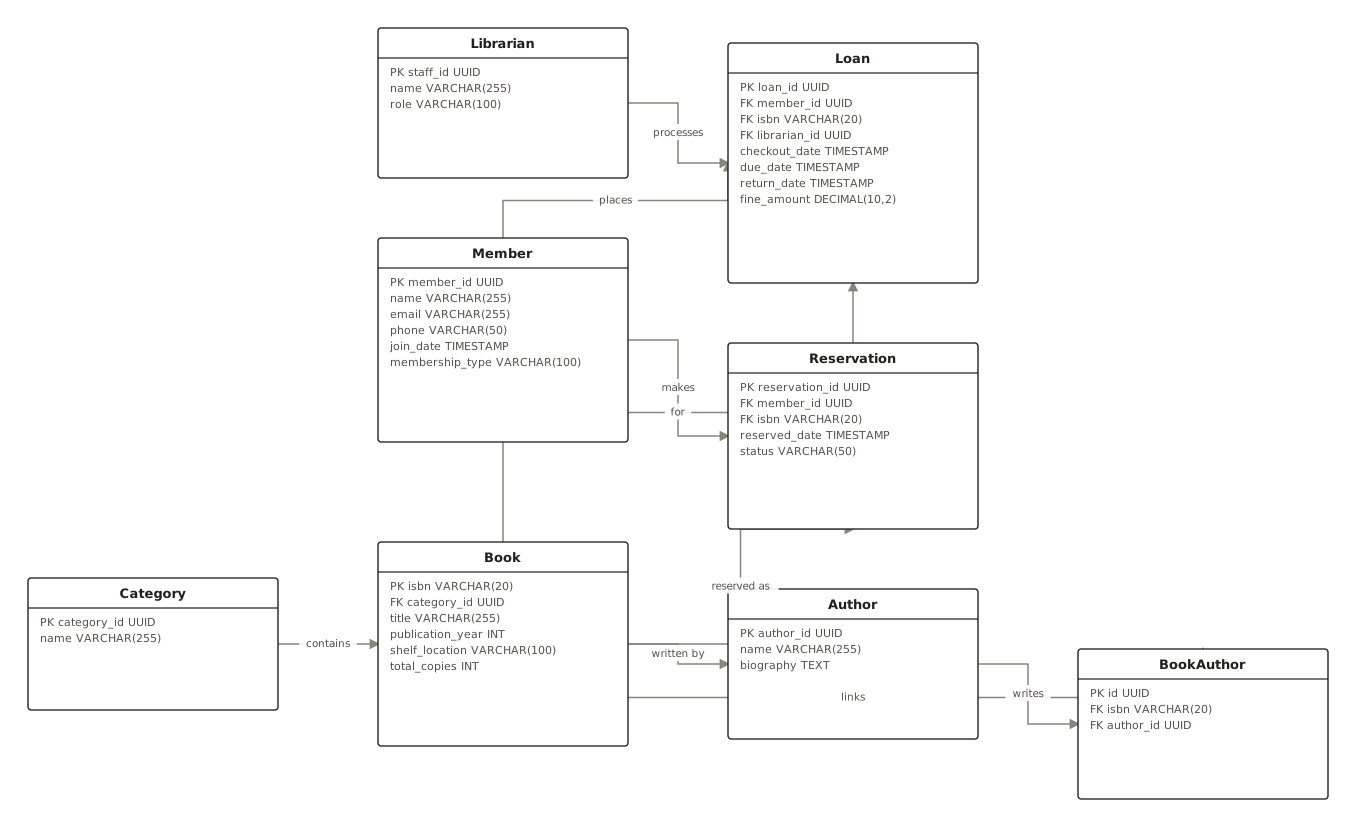
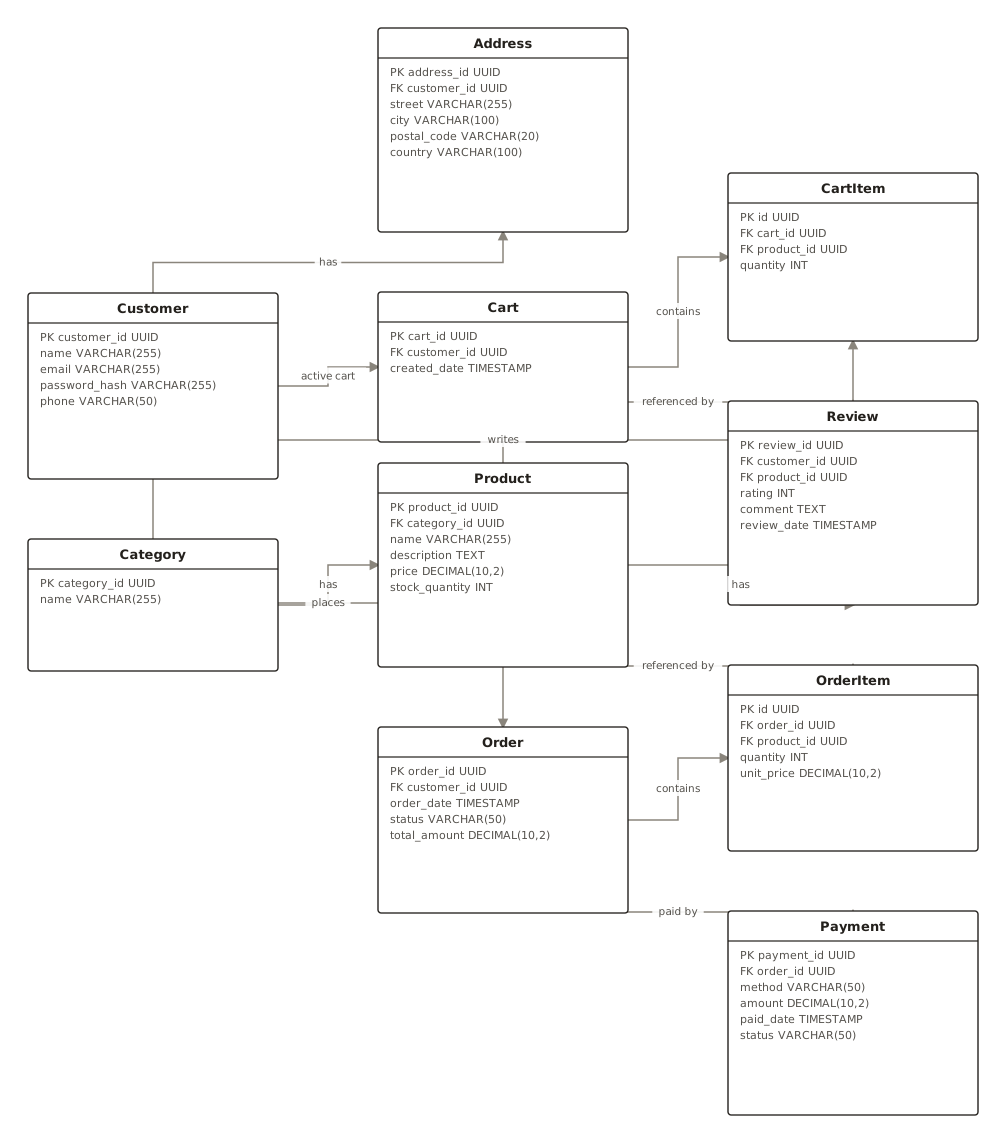
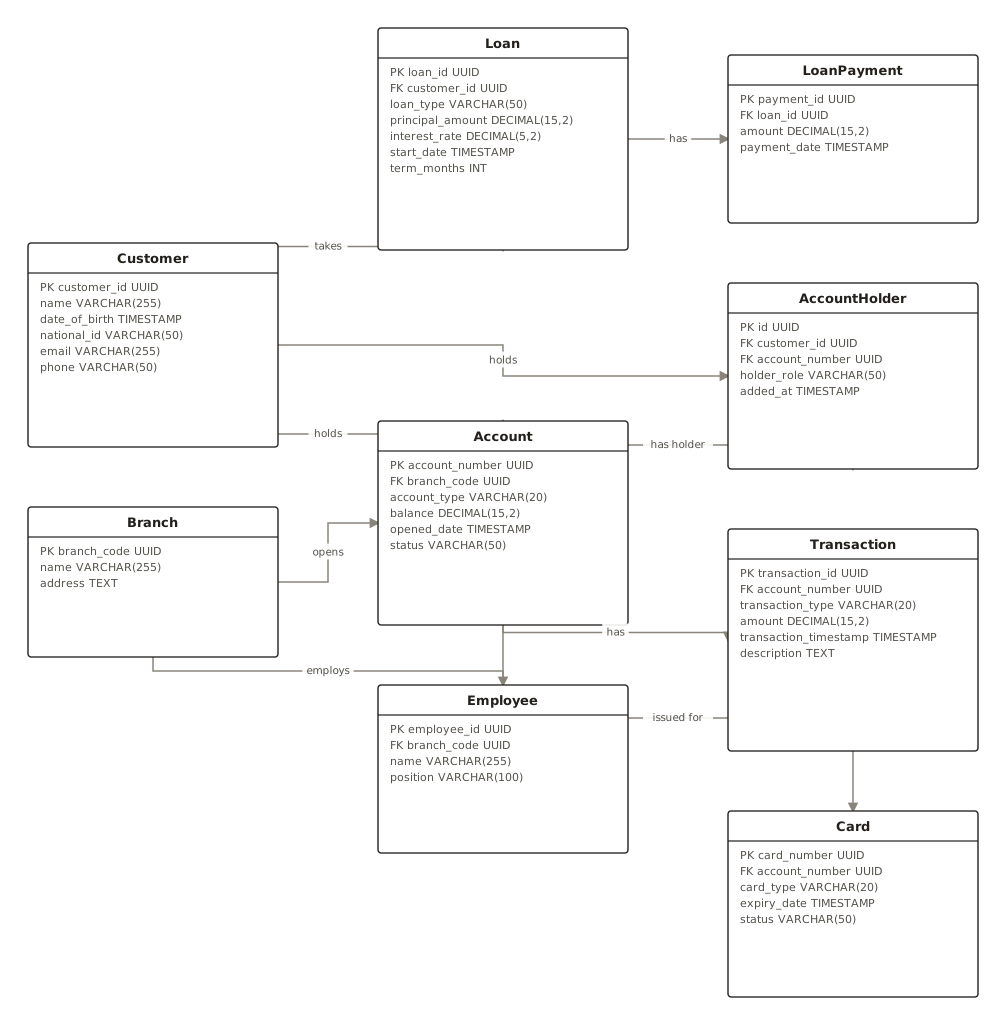
Generated with ChartCraft and published in the examples gallery — open one to see its prompt, or use it as a starting point.
Questions
What's the fastest way to make a ER diagram?
Describe it in plain English. ChartCraft parses your description, builds the ER diagram, and runs an automatic layout so you don't place or connect anything by hand.
Do I need to know any diagram syntax?
No. You write a normal sentence or two; ChartCraft handles the notation and layout.
What's the difference between an ER diagram and a database schema?
An ERD is the conceptual map — entities, relationships, cardinalities. The schema adds physical detail: exact types, indexes, constraints. Draw the ERD first; the schema follows almost mechanically.
How do I model a many-to-many relationship?
Introduce a junction entity holding a foreign key to each side — Student and Course connect through Enrollment. It usually earns extra columns of its own, like enrolled_date or grade.
Can I export the result?
Yes, export to SVG or PNG on any plan, including the free tier.