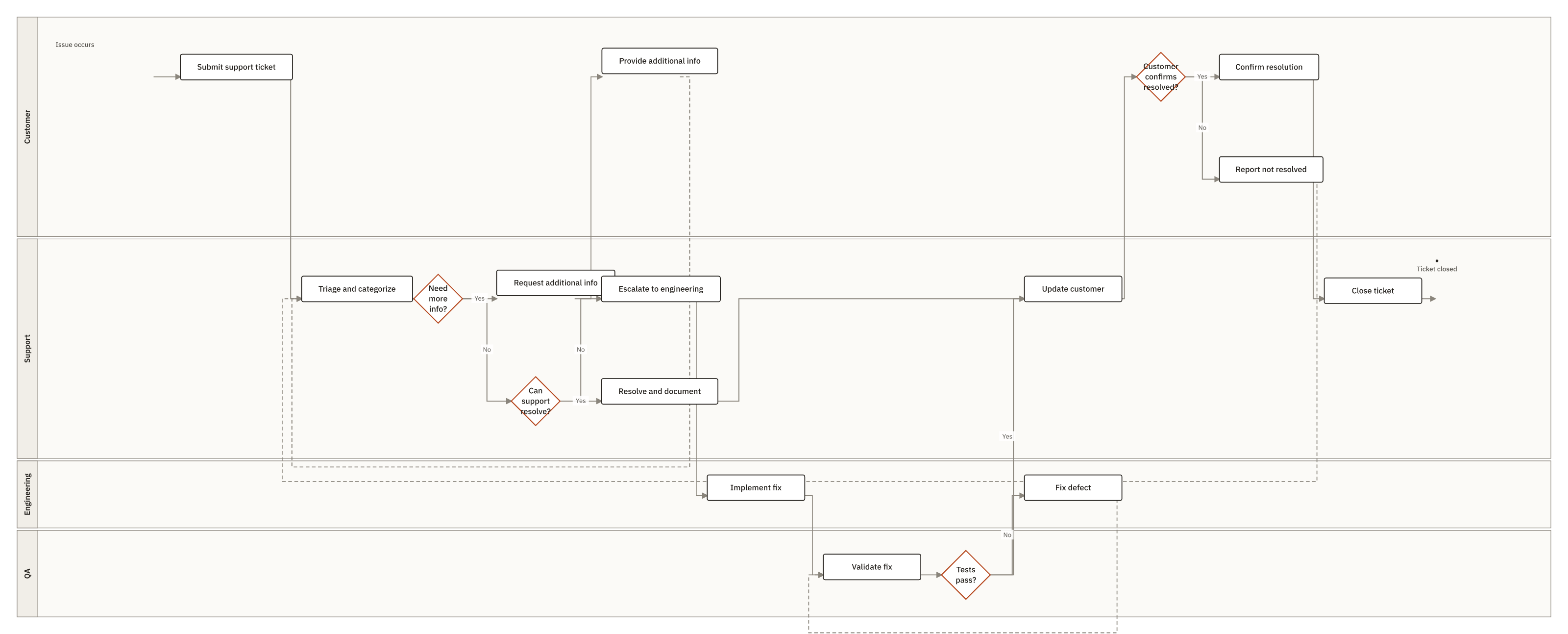
BPMN Customer Support Ticket Lifecycle with Escalation and QA Validation
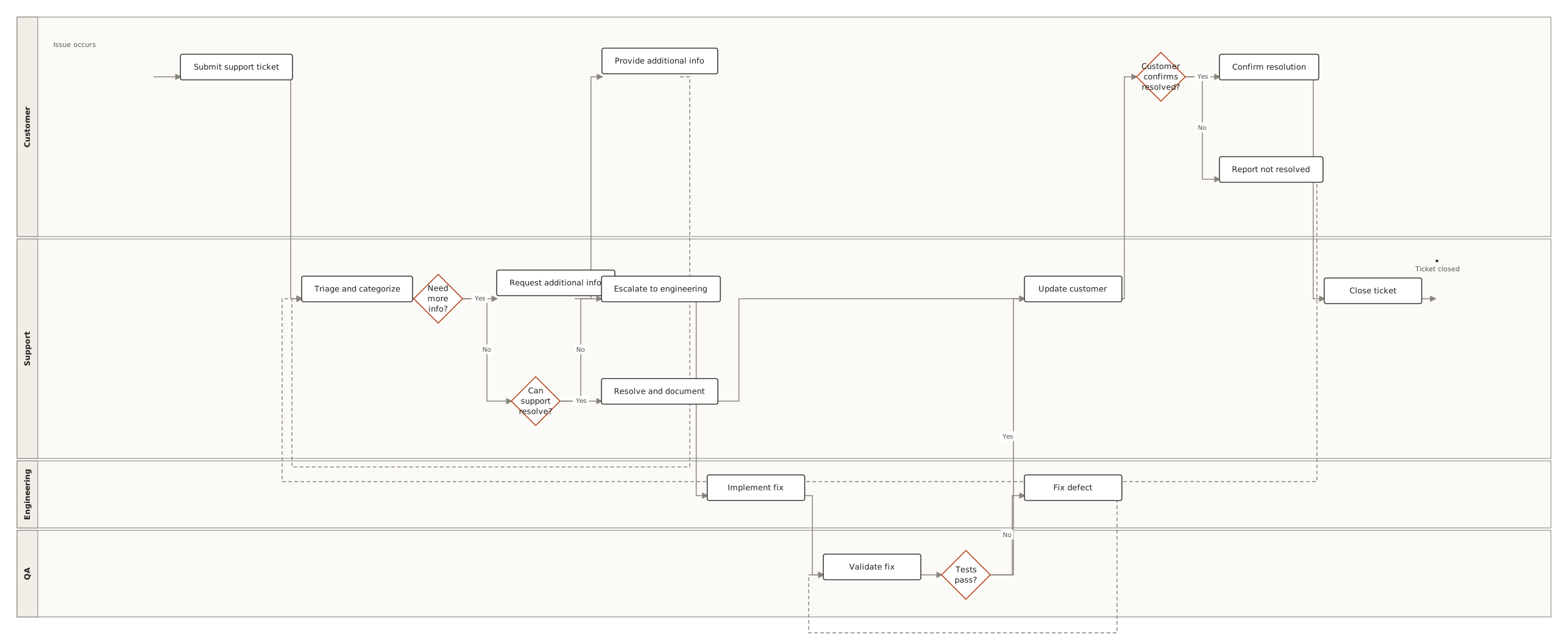
This BPMN diagram is used to standardize how a support issue moves from customer submission through support triage, info requests, and a decision to resolve in support or escalate to engineering for a fix and QA validation. It helps teams clarify handoffs, decision points (need more info, can support resolve, tests pass, customer confirms), and the rework loops for failed tests or unresolved outcomes. Support leads, engineering, QA, and customer success teams use it to align responsibilities and reduce resolution...
BPMNCustomer SupportTicket LifecycleIncident TriageEngineering QA
19 nodes
22 connections
4 lanes