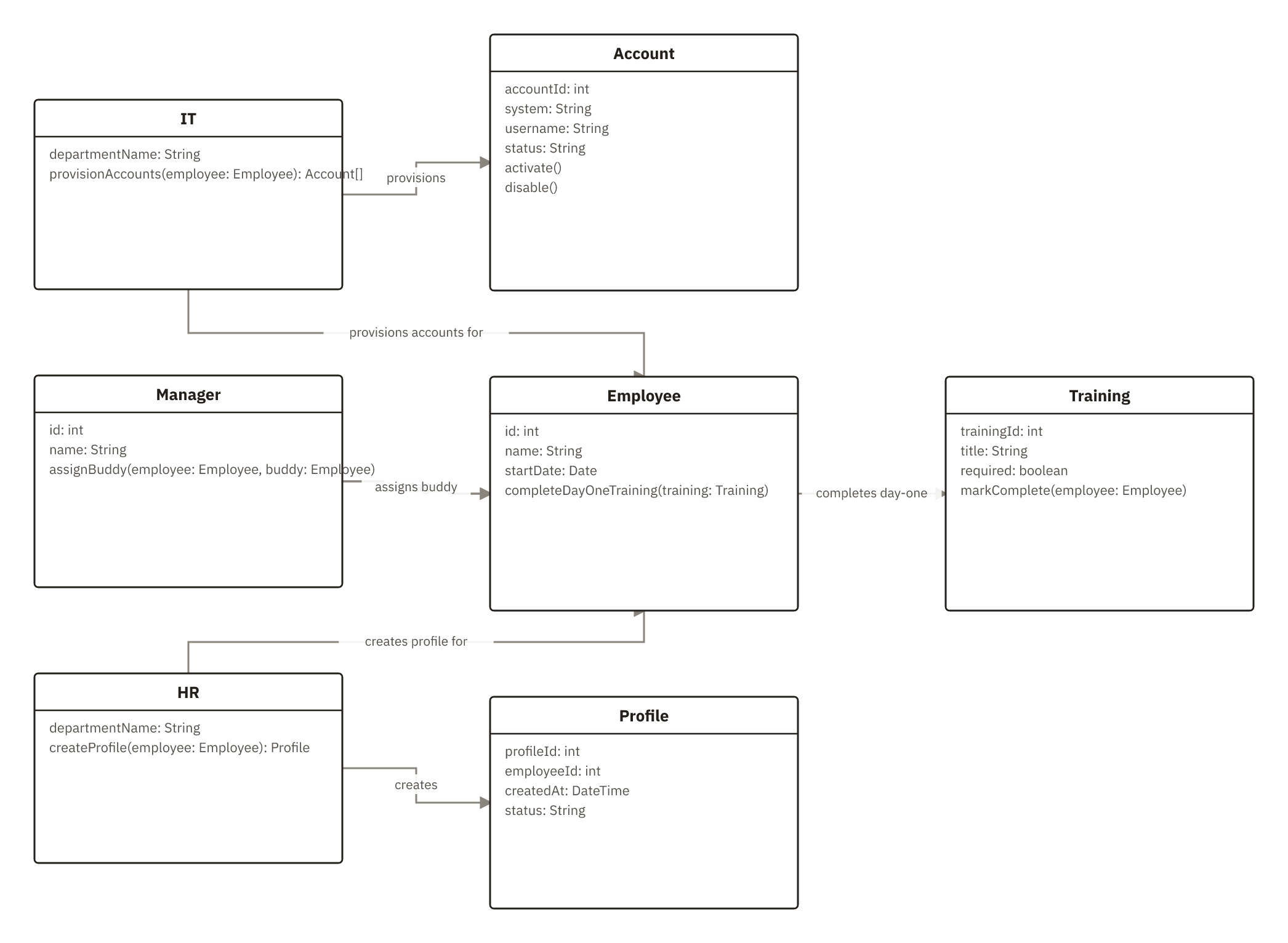
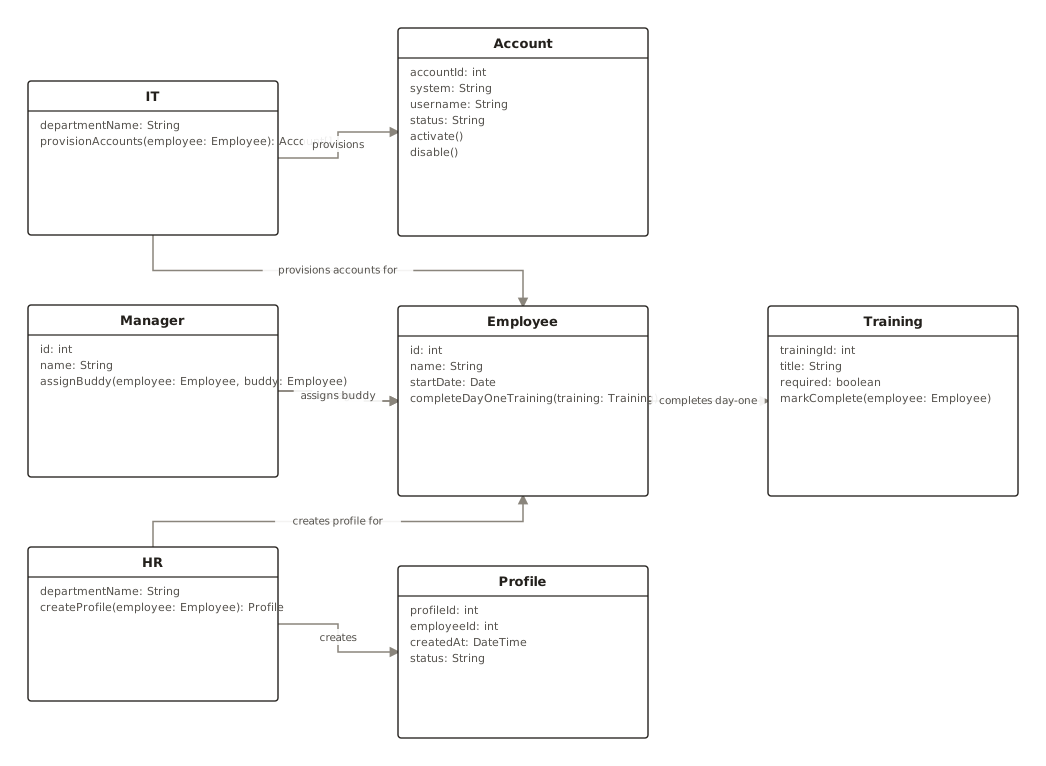
New Hire Onboarding Class Diagram (HR Profile, IT Accounts, Buddy Assignment, Day-One Training)
This class diagram is used to model the core data and responsibilities in new hire onboarding, clarifying how HR creates a Profile for an Employee, IT provisions one or more Accounts for that Employee, and a Manager manages the Employee and assigns a buddy (another Employee). It also captures that Employees complete day-one Training items via a many-to-many relationship. HR teams, IT admins, and engineering teams use it to align data structures, ownership, and integrations across profile creation, account activati...
class diagramonboardingHR and ITaccount provisioningemployee training
7 nodes
7 connections